After-sales support is one of the most mobile-heavy parts of e-commerce operations. A support agent may need to answer buyer messages, check order status, review return requests, compare logistics information, capture screenshots, record short issue flows, and hand the case to another teammate. When these tasks are spread across several phones, the desk can become messy very quickly.
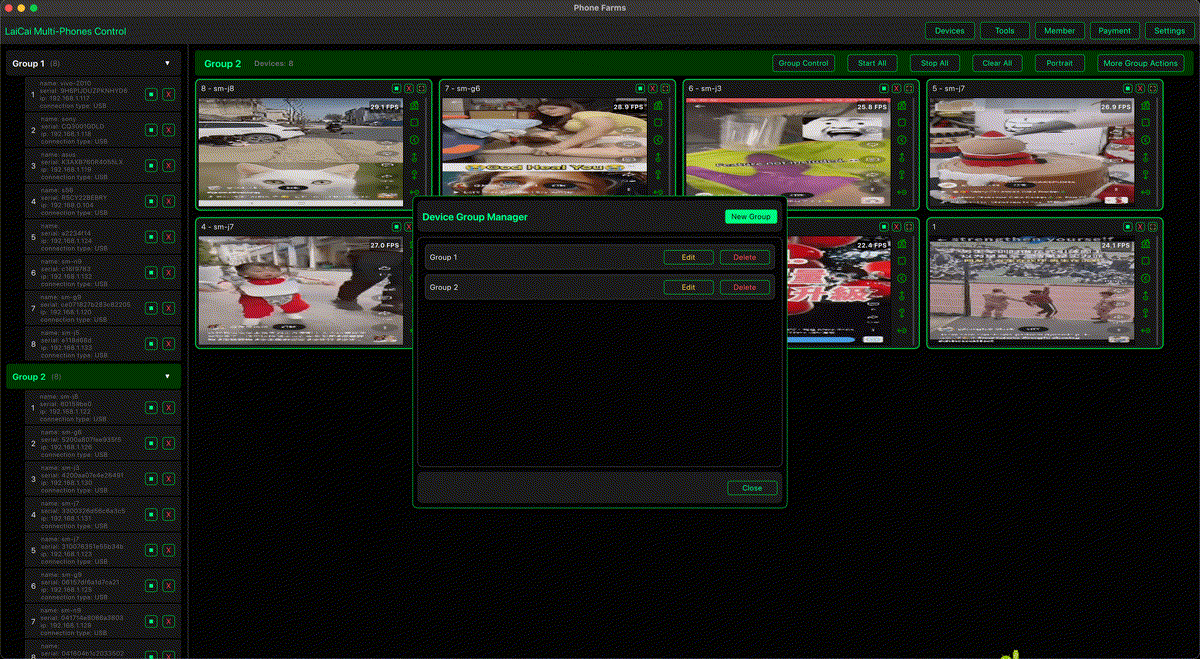
LaiCai Screen Mirroring helps customer service teams bring real Android phones into one PC or Mac workspace. Instead of picking up each phone repeatedly, the team can view screens, control devices with a mouse and keyboard, take screenshots, record evidence, and keep related support phones easier to supervise.
Why After-Sales Support Often Needs Real Phones
E-commerce support is not only email. Many teams still use marketplace apps, seller apps, chat apps, logistics apps, payment notices, review pages, and product pages directly on Android phones. A real phone also shows the same mobile UI that buyers and store operators see, which is useful when a case depends on a button, notification, image, tracking page, or app-only workflow.
- Return and refund requests that need order, product, and message context.
- Logistics checks across carrier pages, seller apps, and buyer screenshots.
- Marketplace chat where the customer history stays inside the mobile app.
- Photo or video evidence for damaged goods, missing items, or wrong products.
- Shift handoff when one agent must pass a case to another person.
A Practical Multi-Phone Support Desk
For many small teams, the easiest setup is to assign each Android phone a clear role. One phone can handle marketplace messages, another can stay logged into logistics or seller tools, another can be used for buyer-side checks, and another can keep product pages or screenshots ready. LaiCai keeps those screens visible on one computer so the agent does not lose context while switching.
If your team already manages many shop phones, read how e-commerce sellers can manage multiple Android phones. For the broader device-control workflow, see how to control multiple Android phones from one computer. Customer-service managers can also compare this with multi-phone workflows for support teams.
How to Use LaiCai in an After-Sales Workflow
- Label each phone by shop, marketplace, language, region, or support queue.
- Connect priority phones by USB when stability matters, and use Wi-Fi for lighter monitoring when appropriate.
- Arrange the phone screens in LaiCai in the same order every day.
- Open the chat, order, logistics, product, and evidence screens needed for the current case.
- Use screenshots for order status, tracking pages, return pages, and customer-provided evidence.
- Use short screen recordings when the issue depends on a repeated app flow or a page that changes quickly.
- Store screenshots and recordings with a clear case ID so the next agent can understand the timeline.
Resolution, Stability, and Evidence Quality
Support teams do not always need maximum FPS, but they do need readable text and stable capture. Use a resolution high enough for order IDs, tracking numbers, product names, and chat messages to remain readable. For evidence work, a stable USB connection is often better than a high-risk wireless setup. If the phone or computer is old, lower the mirroring quality slightly before the session becomes unstable.
Privacy and Compliance
After-sales screens often contain customer names, addresses, phone numbers, tracking IDs, and payment information. Use LaiCai for legitimate support work only. Do not use multi-phone control for spam, fake reviews, account abuse, or platform-rule evasion. Before sharing screenshots internally, crop or blur private details when they are not needed for the case.
Conclusion
A good after-sales desk is not only about replying faster. It is about seeing the right phone screen at the right time, keeping records clean, and handing cases over without losing context. LaiCai gives e-commerce customer service teams a practical way to manage multiple real Android phones from one computer, so chats, returns, logistics checks, screenshots, recordings, and support handoffs become easier to handle.