Alternative
Install with the EXE installer
Use the EXE installer if Microsoft Store is unavailable on your computer, blocked by company policy, or not convenient for your workflow.
EXE installer remains available as an alternative
Available on Microsoft Store
Alternative
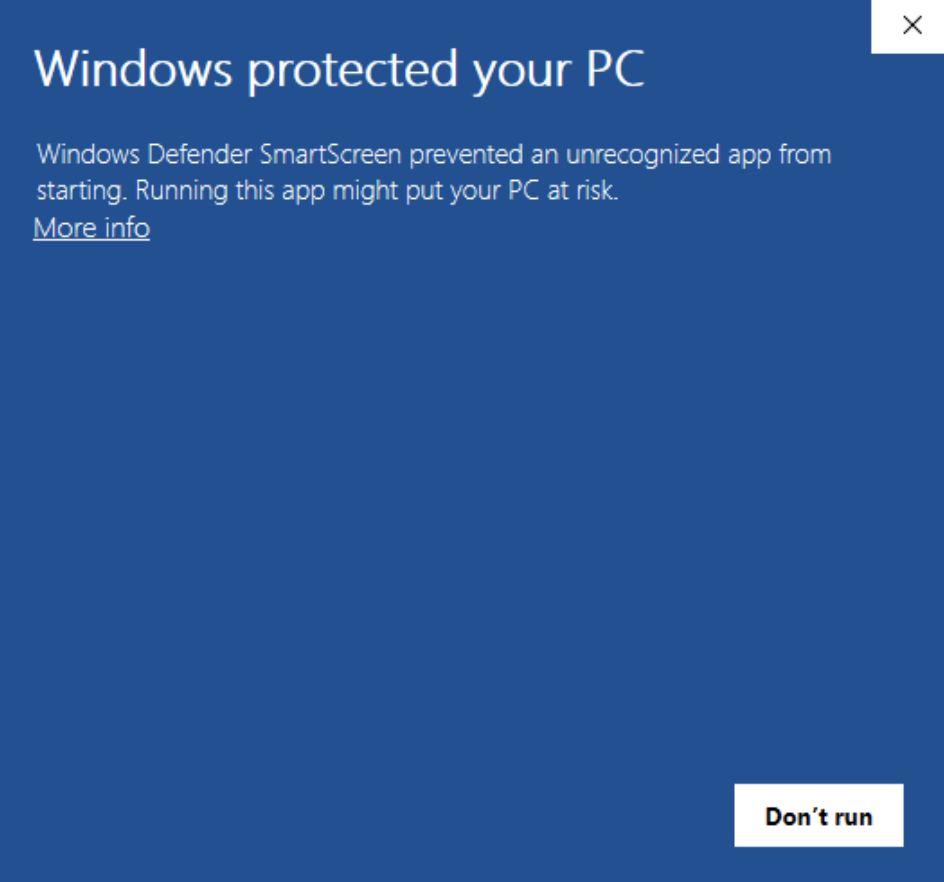
If the EXE installer shows SmartScreen
- 1
Make sure the EXE installer was downloaded from laicaiapp.com.
- 2
Click “More info” in the Windows SmartScreen notice.
- 3
Click “Run anyway”, then continue and finish the installation.
Recommended
Install from Microsoft Store
The Windows version is listed on Microsoft Store, which is the best default choice for most users because it uses the Store distribution and review flow.
Microsoft Store 4.4.0