Google 宣布 Android 和 iPhone 用戶之間的端到端加密 RCS 訊息開始推出。對一般用戶來說,這是好事:跨平台訊息會隨著支援擴大而更安全、更私密。
對客服、電商營運、QA 團隊和手機工作台人員來說,重點問題不是「能不能看到更多內容」,而是:當訊息隱私越來越強時,團隊使用真實 Android 手機工作時應該記錄什麼?
答案很明確:記錄被允許的流程證據,不記錄私人對話。團隊可以記錄 App 路徑、權限彈窗、bug 重現步驟、商品頁問題、訂單狀態頁面或培訓流程。不要記錄私人聊天內容、客戶個人資料、驗證碼、支付資訊,或任何超出用戶授權和公司政策的內容。
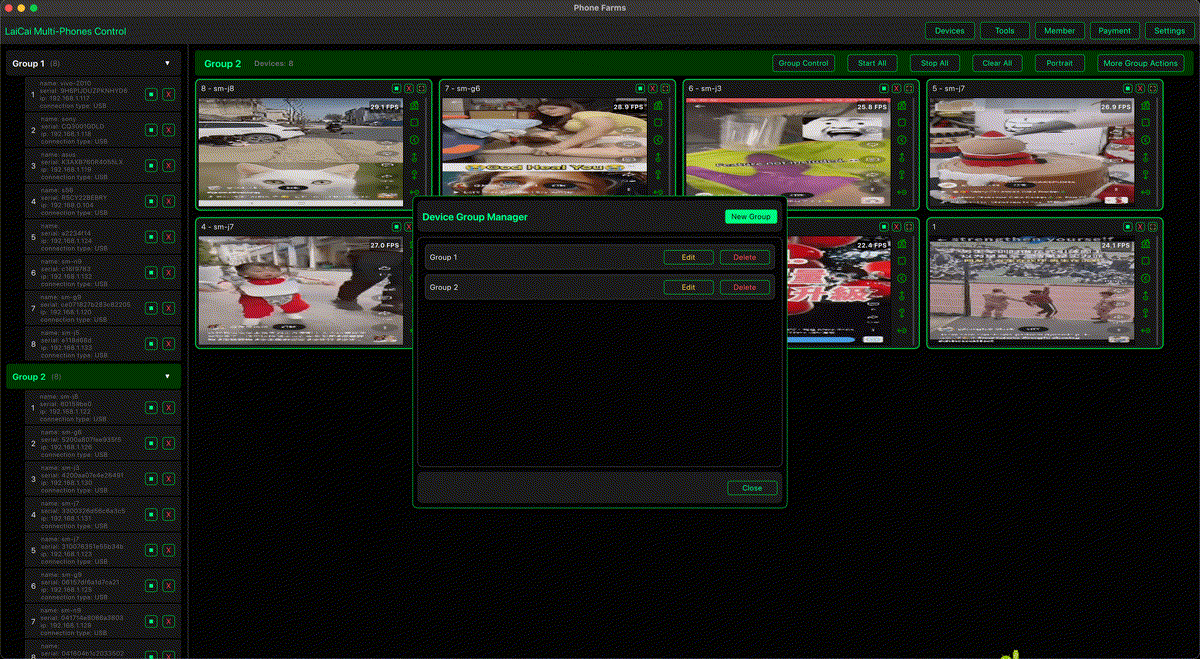
萊彩投屏適合放在這個隱私合規工作流裡。它幫助團隊在 PC 或 Mac 上看見並控制真實 Android 手機,截取被允許的截圖,錄製短證據片段。它不會繞過加密、讀取受保護訊息,也不能替代同意和合規。
簡短結論
實用原則不是「全部錄下來」,而是「只記錄團隊被允許記錄的內容」。
萊彩投屏 is useful when the work is about Android 投屏錄影隱私 and real-device evidence, not about exposing private message content.
為什麼 2026 年 RCS 加密值得關注
RCS encryption is part of a broader Android privacy and security direction. Teams should adapt by tightening consent, reducing unnecessary recordings, and documenting only the device workflow that is needed for support, QA, training, or e-commerce proof.
For related Android update context, see Android 投屏工作流.
團隊應該記錄什麼
- 記錄 App 狀態、操作步驟、時間點和被允許的問題證據。
- 避開或打碼姓名、手機號、驗證碼、支付頁面和私人訊息。
- 使用工作手機和設備標籤,避免客戶案件混淆。
- 錄影要短,只圍繞目前問題。
- 客服、QA、培訓和行銷素材分開保存,並設定清楚權限。
Typical allowed evidence includes app navigation, visible error states, permission prompts, order-status pages, QA reproduction steps, and training flows on work devices.
團隊不應該記錄什麼
Do not record private chats, verification codes, payment screens, personal identifiers, customer contact details, or unrelated app content. Do not ask operators to bypass encryption, copy private messages into tickets, or keep long screen recordings “just in case.”
萊彩投屏適合放在哪個位置
萊彩投屏 helps teams 電腦控制 Android 手機, label devices, watch real screens, take approved screenshots, and record short clips for handoff. It should sit inside a written policy that defines consent, retention, access, and deletion rules.
客服、電商和 QA 示例
Support teams can document reproduction steps with 客服團隊管理多台 Android 手機. E-commerce teams can record allowed after-sales evidence without exposing private chat history. QA teams can capture real-device behavior with Android 投屏工作流. Remote teams can use 遠端 Android 故障排查 to explain a problem while keeping records minimal.
錄影前的隱私檢查清單
- Confirm the purpose of the recording before starting.
- Use a work phone or test account when possible.
- Crop, blur, or avoid private data.
- Prefer short clips over long always-on recordings.
- Store the clip only where the team policy allows.
推薦內鏈
For operations teams, connect this article with 多設備 Android 控制 and 合規的 phone farm software 工作流.
常見問題
Does 萊彩投屏 bypass RCS encryption?
No. It mirrors and records the visible device workflow when allowed. It does not decrypt protected messages or remove privacy obligations.
Can support teams record chat screens?
Only when policy, consent, and local rules allow it. In most cases, record the workflow around the issue and avoid private message content.
參考資料
Google Android RCS 端到端加密公告; Google Messages 端到端加密說明; Google Android 更新概覽.