Google announced that end-to-end encrypted RCS messaging is rolling out between Android and iPhone users. For everyday users, this is good news: cross-platform messages can become more private and secure by default as support expands across messaging apps and platforms.
For customer support, e-commerce operations, QA teams, and phone-desk operators, the important question is different: if message privacy is improving, what should a team record when it uses real Android phones at work?
The answer is straightforward. Record permitted workflow evidence, not private conversations. A team can document the app path, permission prompt, bug reproduction step, product-page issue, order-status screen, or training workflow. It should not record private chat content, customer personal data, authentication codes, payment details, or anything outside the user’s consent and company policy.
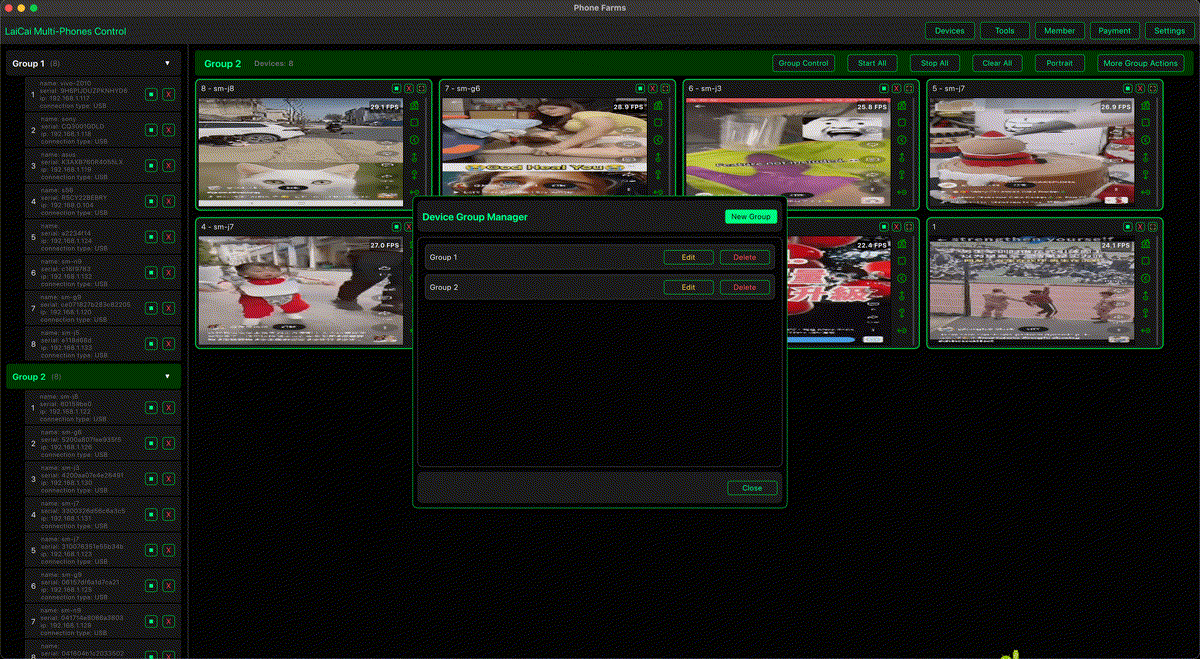
LaiCai Screen Mirroring belongs in this privacy-aware workflow. It helps teams see and control real Android phones from a PC or Mac, capture approved screenshots, and record short proof clips. It does not bypass encryption, read protected messages, or remove the need for consent.
The short answer
The practical use case is not “record everything.” It is “record only what the team is allowed to document.”
LaiCai Screen Mirroring is useful when the work is about Android screen recording privacy and real-device evidence, not about exposing private message content.
Why RCS encryption matters in 2026
RCS encryption is part of a broader Android privacy and security direction. Teams should adapt by tightening consent, reducing unnecessary recordings, and documenting only the device workflow that is needed for support, QA, training, or e-commerce proof.
For related Android update context, see Android screen mirroring workflow.
What teams should record
- Record app state, steps, timestamps, and allowed issue evidence.
- Blur, crop, or avoid names, phone numbers, verification codes, payment screens, and private messages.
- Use work devices and device labels so records do not mix customer cases.
- Keep recordings short and purpose-specific.
- Store support, QA, training, and marketing clips in separate folders with clear access rules.
Typical allowed evidence includes app navigation, visible error states, permission prompts, order-status pages, QA reproduction steps, and training flows on work devices.
What teams should not record
Do not record private chats, verification codes, payment screens, personal identifiers, customer contact details, or unrelated app content. Do not ask operators to bypass encryption, copy private messages into tickets, or keep long screen recordings “just in case.”
Where LaiCai Screen Mirroring fits
LaiCai Screen Mirroring helps teams control Android phones from a computer, label devices, watch real screens, take approved screenshots, and record short clips for handoff. It should sit inside a written policy that defines consent, retention, access, and deletion rules.
Support, e-commerce, and QA examples
Support teams can document reproduction steps with customer support teams managing multiple Android phones. E-commerce teams can record allowed after-sales evidence without exposing private chat history. QA teams can capture real-device behavior with Android screen mirroring workflow. Remote teams can use remote Android troubleshooting to explain a problem while keeping records minimal.
Privacy checklist before recording
- Confirm the purpose of the recording before starting.
- Use a work phone or test account when possible.
- Crop, blur, or avoid private data.
- Prefer short clips over long always-on recordings.
- Store the clip only where the team policy allows.
Recommended internal links
For operations teams, connect this article with multi-device Android control and compliant phone farm software workflows.
FAQ
Does LaiCai Screen Mirroring bypass RCS encryption?
No. It mirrors and records the visible device workflow when allowed. It does not decrypt protected messages or remove privacy obligations.
Can support teams record chat screens?
Only when policy, consent, and local rules allow it. In most cases, record the workflow around the issue and avoid private message content.
References
Google Android RCS E2EE announcement; Google Messages end-to-end encryption help; Google Android updates overview.