New streamers often have a hard first stage: the room is quiet, the audience is small, and every detail on screen feels more important. The right answer is not fake viewers or artificial engagement. A safer and more useful approach is to build a low-cost live streaming workspace that helps you improve the real stream experience.
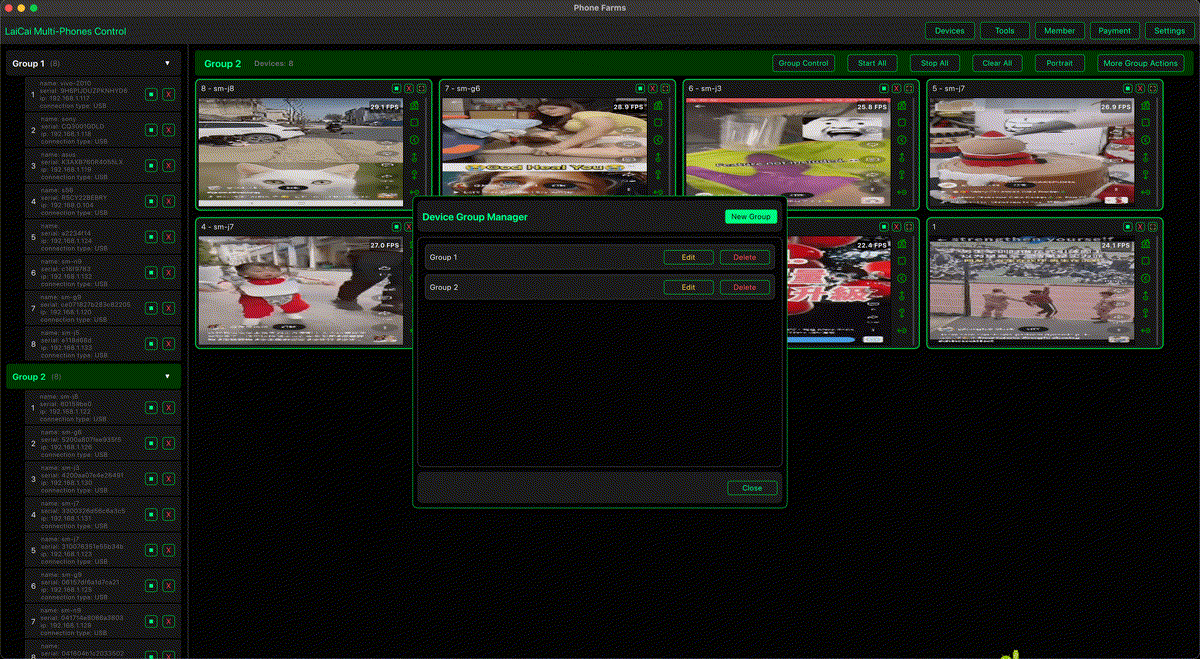
With LaiCai Screen Mirroring, a new streamer can connect several inexpensive second-hand Android phones to one PC or Mac. Instead of using those phones to inflate numbers, use them as preview screens, chat monitors, product-page checkers, recording devices, backup devices, and a practical control center for daily live operations.
Why Second-Hand Android Phones Help
You do not need flagship phones for every role. A few affordable used Android phones can help you see what viewers see on different screens. One phone can show the live room, another can check the product page, another can monitor comments, and another can test the viewer experience after network or lighting changes.
This gives beginners a more professional workflow without buying a full studio setup too early.
A Practical Phone Layout for New Streamers
- Main preview phone: watch the live room as a normal viewer.
- Chat phone: keep comments, questions, and moderation visible.
- Product or link phone: check product pages, coupons, menus, or landing pages.
- Recording phone: capture short clips for review or highlights.
- Backup phone: keep one device ready for account login, testing, or emergency replacement.
How LaiCai Fits the Workflow
LaiCai brings those phone screens into one desktop workspace. You can mirror multiple Android phones, organize devices into groups, control phones with mouse and keyboard, take screenshots, record screens, transfer files, and keep the whole live setup visible from the computer.
For a broader multi-device workflow, read how to control multiple Android phones from one computer. If you also sell products during streams, see how e-commerce sellers manage multiple Android phones.
Pre-Live Checklist
- Check the live room on a real viewer phone.
- Confirm lighting, face exposure, product visibility, and text readability.
- Test microphone volume, background noise, music, and voice chat.
- Open the chat or comment screen on a separate phone.
- Open product pages, links, menus, or coupon pages before going live.
- Record a short test clip and review it on the computer.
- Close private messages and notifications that should not appear on stream.
What Not to Do
Do not use multiple phones to fake viewers, fake likes, fake comments, fake follows, fake orders, or artificial engagement. Platforms such as TikTok and YouTube publish rules around LIVE safety, account features, real-time interaction, and fake engagement. A workflow that depends on fake numbers can damage accounts, brand trust, and long-term growth.
Use LaiCai for legitimate stream operations: preview, monitoring, production checks, customer replies, recording, review, and team coordination.
Content Tips for Early Streams
- Prepare a simple run-of-show: opening, main topic, Q&A, product demo, and closing.
- Keep one visible note with talking points so silence is less awkward.
- Use screenshots and recordings to review what looked unclear.
- Test different stream times and compare retention, not only viewer count.
- Improve audio first; bad sound loses viewers faster than imperfect video.
- Turn real questions into future clips, FAQs, and product demos.
Conclusion
A new streamer does not need fake popularity to look more professional. A few used Android phones plus LaiCai can create a low-cost production workspace for real improvements: better preview, cleaner audio checks, faster comment handling, smoother product demos, and better post-live review.