Repair shops and phone resellers often handle many Android phones in one day. A technician may need to check the screen, touch response, buttons, camera, speaker, microphone, Wi-Fi, charging behavior, account status, cosmetic notes, and customer-reported problems. If every check happens only on the phone itself, the workflow becomes slow and easy to lose track of.
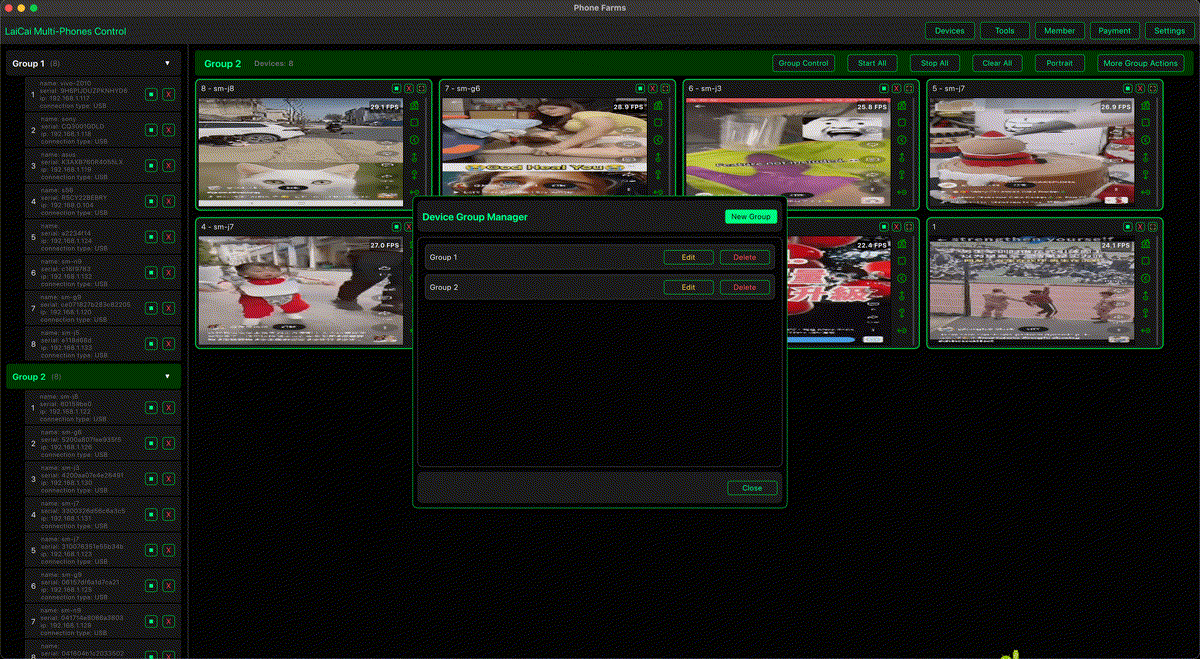
LaiCai Screen Mirroring can help turn a repair desk or resale desk into a more organized Android inspection workspace. Instead of picking up every phone again and again, you can mirror real Android devices to a Windows or macOS computer, group devices, take screenshots, record short clips, and keep the inspection record easier to review.
Why a Computer Workspace Helps
A larger screen makes small issues easier to notice. A keyboard makes notes faster. Screenshots and recordings make communication clearer when a device has a visible issue. For shops that test many used phones, this can reduce repeated handling and make handoff between staff easier.
- Compare several device screens side by side.
- Use screenshots to document scratches, display defects, app errors, or setup states.
- Record a short clip when a touch, camera, network, or app issue needs evidence.
- Keep phones labeled by customer, order number, device model, or inspection stage.
- Separate intake checks, repair verification, resale listing checks, and final handoff checks.
A Practical Android Inspection Checklist
LaiCai is not a hardware diagnostic lab, but it can make visible and workflow-based checks faster. A shop can build a repeatable checklist like this:
- Label the phone with customer name, order ID, model, storage, and inspection date.
- Connect the phone to the computer and mirror the screen in LaiCai.
- Check display brightness, dead pixels, touch response, rotation, and navigation buttons.
- Open camera, gallery, recorder, browser, Wi-Fi settings, Bluetooth, and charging screen as needed.
- Take screenshots of important screens or visible issues.
- Record short clips for intermittent or customer-reported problems.
- Move the device into a group such as Intake, Needs Repair, Ready to List, or Ready to Return.
- Write final notes before the device leaves the bench.
Useful Workflows for Phone Resellers
Resellers need consistency. The same phone may pass through intake, cleaning, account reset, camera sample checks, listing photos, marketplace upload, and final packaging. A mirrored workspace helps staff keep the phone state visible while entering notes or preparing listing information on the computer.
For multi-device operations, read phone farm vs cloud phone vs real Android device control. For QA-style checks, see how to use Android screen mirroring for mobile app testing.
Keep Records Clear and Respect Privacy
Repair and resale workflows often involve customer data. Before recording or taking screenshots, avoid capturing private photos, messages, payment apps, identity documents, or account pages unless the customer explicitly asked for that evidence. Keep records limited to the problem being checked, and clear temporary files after the case is closed.
Conclusion
For repair shops and phone resellers, the biggest benefit is not a single feature. It is the ability to make Android device checks repeatable: mirror real phones, group devices by status, capture evidence, and keep inspection work visible from one computer. LaiCai gives small teams a practical way to move faster without replacing real-device checks.