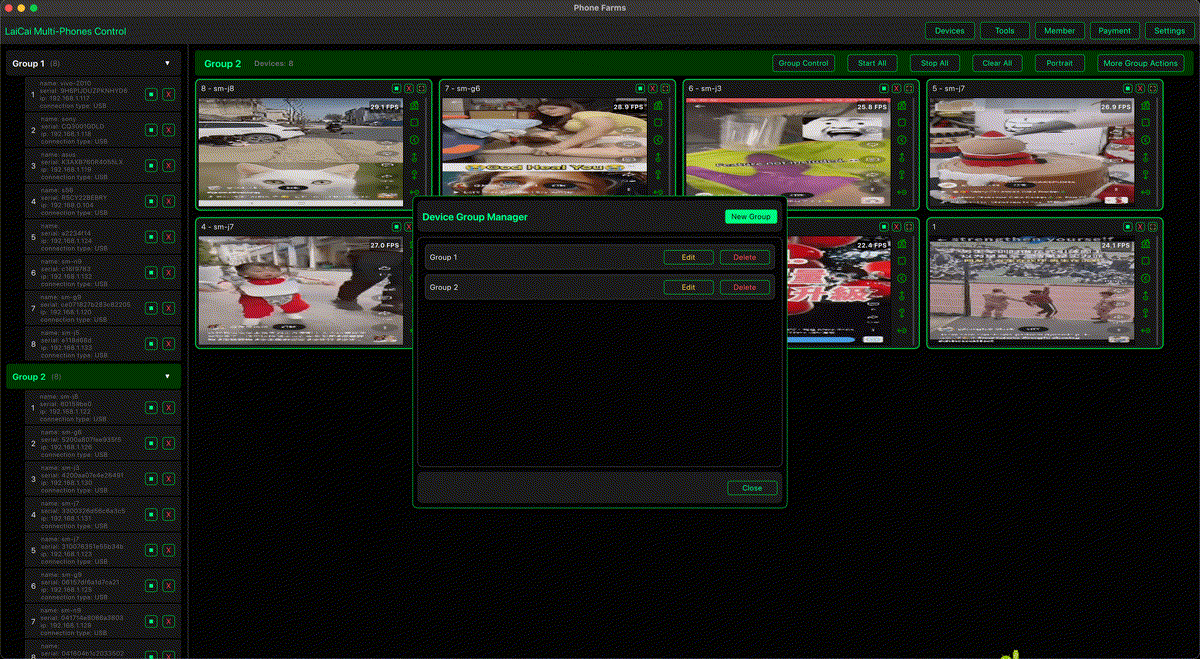
Small agencies often manage mobile workflows for several clients at the same time. One client may need content review, another may need app screenshots, another may need customer chat checks, and another may need store or social account verification. If everything happens on a few unlabeled phones, mistakes become easy: wrong account, wrong client, wrong screenshot, or missing approval.
LaiCai Screen Mirroring helps agencies turn real Android phones into a visible PC or Mac workspace. The goal is not to automate spam or fake engagement. The useful agency workflow is about organization: device labels, client groups, screenshots, file transfer, content review, approvals, and clean handoff.
Why Agencies Still Use Real Phones
Many client workflows are mobile-first. Social apps, store apps, chat apps, creator tools, local-market apps, and buyer-side views may behave differently on a real phone than on a browser. A real device also keeps each client's app state, login context, notification behavior, and mobile UI visible.
- Content review before a post or product update goes live.
- Mobile screenshots for client reports and approval records.
- Buyer-side or audience-side checks of a page, product, or app flow.
- Customer chat monitoring where the conversation lives inside a mobile app.
- QA checks for app updates, campaign pages, or store flows.
Build a Client-Safe Device System
Start by assigning each phone a clear role. Label devices by client, platform, region, language, or workflow. Then group the phones in LaiCai so the agency team can see the correct screens together.
For multi-device basics, read how to control multiple Android phones from one computer. For marketing workflows, see how social media marketers can manage multiple Android accounts from one PC.
A Practical Agency Workflow
- Create a device naming rule: client, platform, region, and purpose.
- Keep client accounts separated by phone or device group.
- Use screenshots for approval points: draft content, profile state, product page, campaign page, or chat evidence.
- Use short recordings when the workflow depends on timing or a changing screen.
- Store files with a case, campaign, or client ID so teammates can find them later.
- Before handing work to another teammate, leave a short note: device name, current app, account, task status, and next step.
Compliance Boundaries
Agencies should use multi-phone workflows to improve client operations, not to manipulate platforms. Do not use devices for spam, fake likes, fake comments, fake reviews, fake followers, unauthorized messaging, account abuse, or platform-rule evasion. Keep client permissions clear and document who is allowed to access each account or device.
Conclusion
Small agencies do not need a complicated command center to stay organized. With clear device labels, client groups, screenshots, recordings, and handoff notes, LaiCai helps teams manage real Android phones from one computer without mixing accounts or losing context.