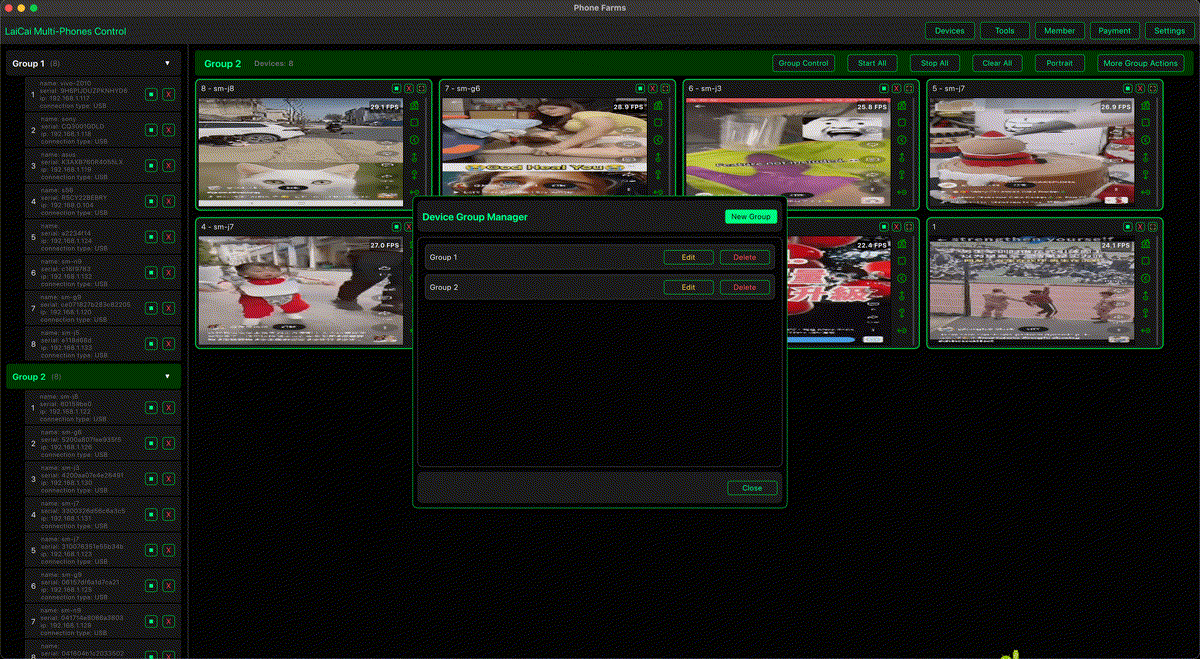
Social media marketers often manage more than one mobile account: brand accounts, regional accounts, creator accounts, campaign accounts, marketplace accounts, and customer-support channels. The hard part is not only switching accounts. It is keeping screens visible, moving creative files, checking mobile layouts, replying to real messages, documenting issues, and avoiding mistakes across devices.
LaiCai Screen Mirroring helps turn multiple Android phones into one desktop workspace. You can mirror phone screens to a PC or Mac, control phones with mouse and keyboard, group devices by brand or campaign, transfer files, take screenshots, and record screens for review or reporting.
Why Use Real Android Phones?
Real phones show what your audience actually sees: push notifications, app UI changes, camera permissions, login state, short-video previews, message screens, and mobile-only flows. For marketers, that matters when checking TikTok, Instagram, Facebook, WhatsApp, Telegram, marketplace apps, community apps, or regional social platforms.
Compared with constantly picking up phones, a desktop workspace makes the process easier to supervise. The team can keep important accounts visible, handle real customer conversations, and capture proof when content, layout, or app behavior needs review.
Recommended Account Groups
- Brand accounts: official social profiles and campaign channels.
- Regional accounts: different countries, languages, or local teams.
- Creator or partner accounts: content collaboration review and asset checks.
- Customer-support accounts: real replies, after-sales messages, and issue follow-up.
- Testing accounts: preview layouts, login flows, app updates, and content rendering.
Daily Workflow with LaiCai
- Connect Android phones by USB or Wi-Fi and open LaiCai.
- Group phones by brand, region, platform, or campaign.
- Open the relevant social, chat, content, or marketplace apps.
- Transfer images, videos, captions, or documents from the computer to the right phone.
- Check posts, comments, inboxes, notifications, and mobile page layouts.
- Use screenshots or screen recordings for approvals, bug reports, and team handoffs.
- Keep risky bulk actions out of the workflow and follow each platform's rules.
What Marketers Should Avoid
Most social platforms restrict fake engagement, spam, bulk account operation, misleading automation, and attempts to manipulate recommendation systems. Use multi-device control for legitimate work: content preparation, approved posting workflows, customer support, QA, real conversation handling, and internal documentation.
Do not use any tool for mass DMs, fake likes, fake comments, fake follows, fake orders, review manipulation, account abuse, scraping private data, or platform-rule evasion. A safer workflow is slower than spam automation, but it protects brands, accounts, and client relationships.
How LaiCai Fits a Marketing Team
- PC and Mac support for teams that do not all use Windows.
- Real Android device control instead of only browser-based previews.
- Device groups for agencies managing several brands or regions.
- File transfer for campaign assets and mobile-only publishing checks.
- Screenshots and recordings for approvals, reports, and issue reproduction.
- Useful companion workflow for e-commerce teams that manage store apps and social channels together.
For more multi-device setup details, read how to control multiple Android phones from one computer. If your team also handles shop operations, see how e-commerce sellers manage multiple Android phones.
Conclusion
The best way for social media marketers to manage multiple Android accounts is not to automate fake activity. It is to make real device work visible, organized, and easier to document. LaiCai gives marketing teams a practical PC/Mac workspace for legitimate account management, content checks, customer replies, and multi-device coordination.