Como usar Codex ou Claude com contexto MCP para criar um rascunho LaiCai Flow, revisar, validar e executar com segurança. LaiCai Screen Mirroring.
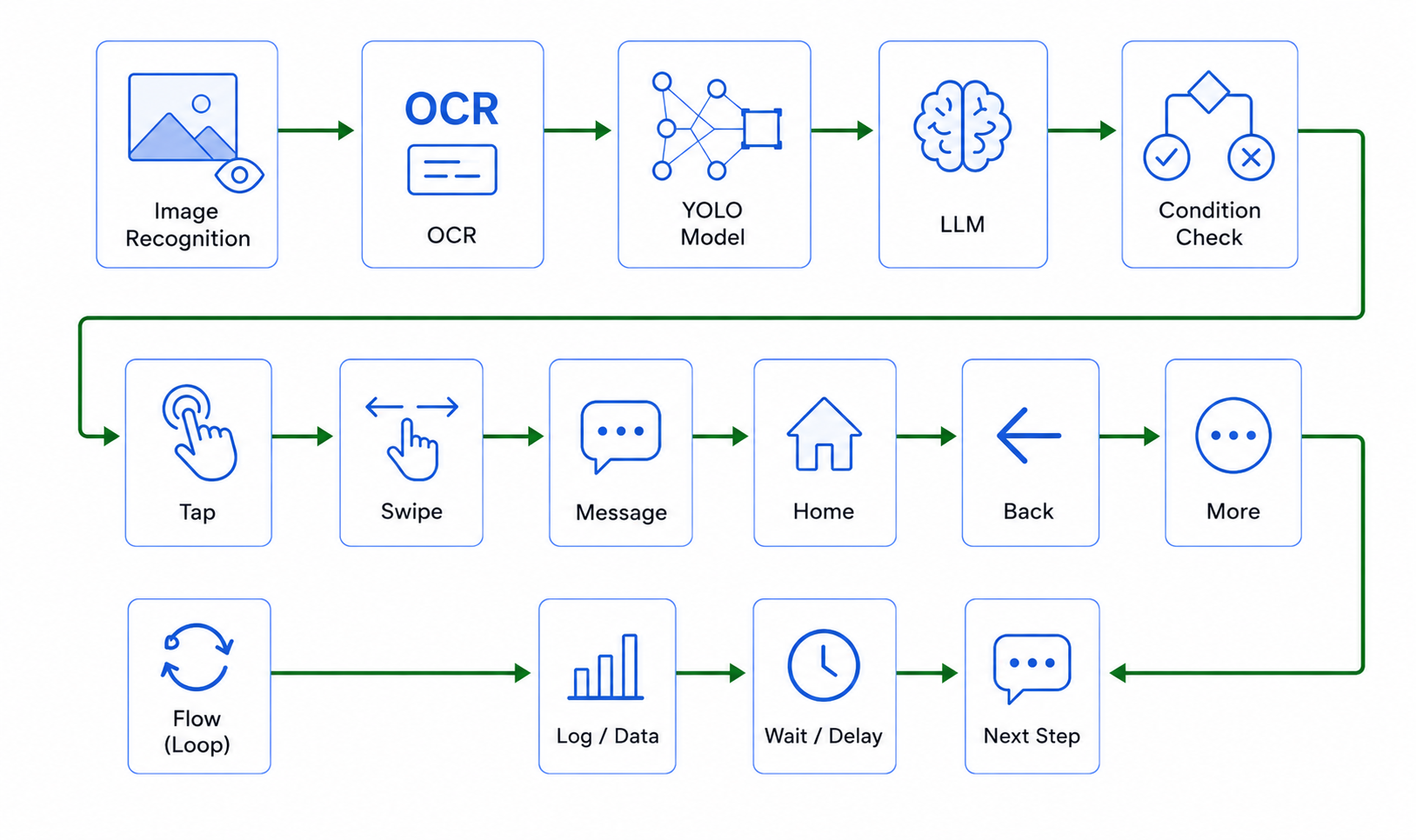
Como usar Codex ou Claude com contexto MCP para criar um rascunho LaiCai Flow, revisar, validar e executar com segurança.
Por que MCP muda o rascunho
MCP gives AI tools structured context instead of asking them to rely on memory. For Android automation, that means the assistant should read generation rules, node schema, assets, and device context before drafting a Flow.
LaiCai Screen Mirroring keeps the run visible: Codex or Claude helps draft, while LaiCai Flow executes and records the authorized workflow.
Que contexto o LaiCai MCP deve dar
LaiCai MCP context should include naming rules, profile defaults, stop-on-failure behavior, asset boundaries, device list, and the node schema. If package names or visual targets are unknown, the assistant should not guess.
In this session the live LaiCai MCP tools were not exposed, so the article uses local MobileFarm product docs and verified Flow publishing context as the source of truth.
Fluxo seguro de rascunho
A safe request names the target app, account type, environment, evidence, and stop boundary. A good draft may open a staging app, use a test account, capture a screenshot, use OCR, and stop before a risky step.
The first run should be observed through espelhar Android para PC e Mac.
Limites das ferramentas MCP
MCP tools can read schema, profiles, assets, devices, installed packages, UI trees, screenshots, and recent run state. Save and asset-creation tools need more caution because they change the user's automation library or create fixed visual assumptions.
The model should not guess coordinates, templates, OCR regions, model classes, package ids, or destructive actions.
Papel do LaiCai Flow no time
The accurate relationship is: Codex or Claude can generate or revise the draft, and LaiCai Flow runs, debugs, logs, and reviews it on authorized Android devices and emulators.
Use ferramenta de automação Android com IA, guia do LaiCai Flow, and workflows Android gerados por LLM as the core reading path.
Checklist antes de salvar
Before saving, verify node types, package source, visual evidence, screenshots or logs, readable Graph View names, and explicit stop boundaries for payment, deletion, account settings, private data, or outbound messages.
The useful pattern is context-aware drafting plus visible execution, not a hidden prompt that controls everything.