มิเรอร์และควบคุม Android
ดูหน้าจอโทรศัพท์บนจอแสดงผลที่ใหญ่ขึ้นและใช้งานเวิร์กโฟลว์แอพที่รองรับโดยไม่ต้องหยิบอุปกรณ์ขึ้นมาตลอดเวลา
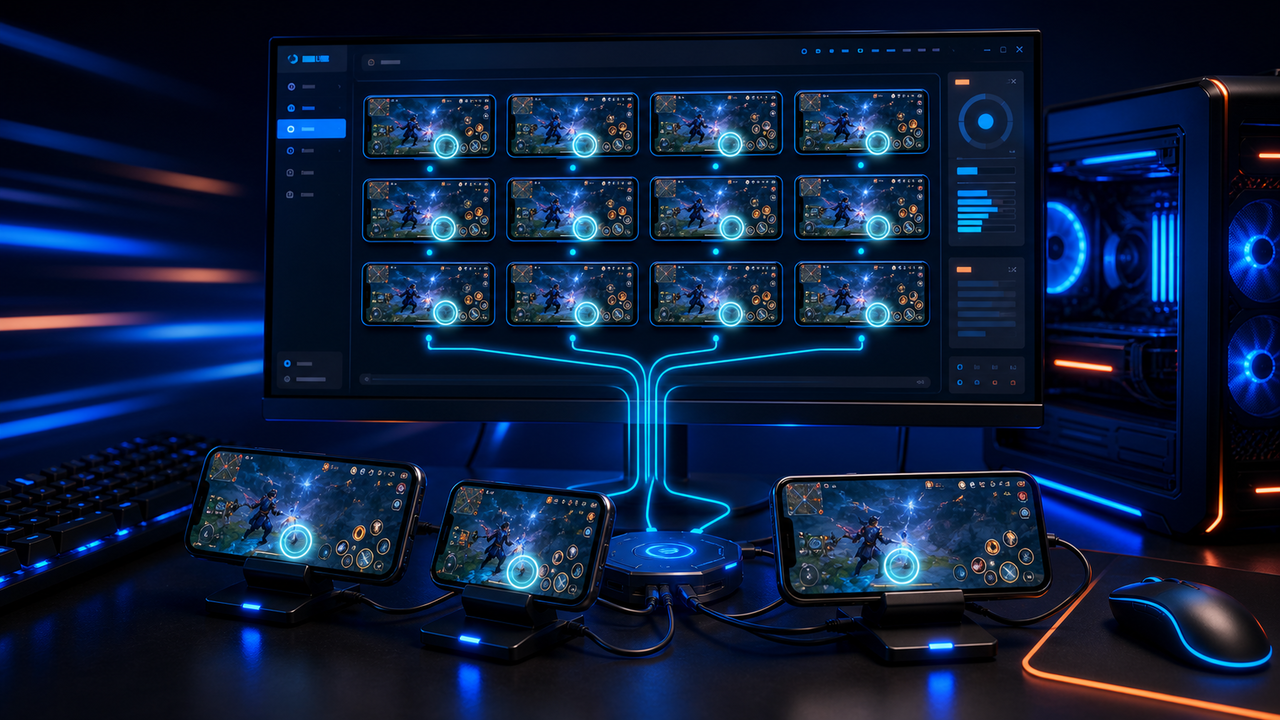
Multi-device control with Android devices and emulators
Mirror and organize Android devices and emulators into device groups so repeated work can be handled from a single desktop workspace.
LaiCai
Teams often need several Android devices or emulator instances for app checks, ecommerce operations, support workflows, QA, training, livestream prep, or game studio testing.
ขั้นตอน
Connect phones, group devices by task, then operate the workflow from your computer.
ติดตั้ง LaiCai บน Windows PC หรือ Mac
เปิด Android debugging ตามคำแนะนำ
เชื่อมต่อ Android target ด้วย USB, Wi-Fi workflow ที่รองรับ หรือ emulator connection ที่รองรับ
Mirror หน้าจอ Android เข้า workspace ของ LaiCai
ควบคุมด้วยเมาส์คีย์บอร์ด หรือกำหนด key mapping สำหรับเกม
Record, screenshot, โอนไฟล์ หรือเพิ่มอุปกรณ์เมื่อจำเป็น
ขั้นตอนการทำงาน
ดูหน้าจอโทรศัพท์บนจอแสดงผลที่ใหญ่ขึ้นและใช้งานเวิร์กโฟลว์แอพที่รองรับโดยไม่ต้องหยิบอุปกรณ์ขึ้นมาตลอดเวลา
กำหนดการเคลื่อนไหว การเล็ง การยิง เป้สะพายหลัง ทักษะ กล้อง และพื้นที่สัมผัสอื่น ๆ ตามรูปแบบแป้นพิมพ์ เมาส์ หรือตัวควบคุมของคุณเอง
ใช้กลุ่มอุปกรณ์สำหรับ QA, การสนับสนุนลูกค้า, อีคอมเมิร์ซ, การค้าสด, การฝึกอบรม หรือการตรวจสอบการปฏิบัติงานหลายบัญชี
เปรียบเทียบ
เหมาะสำหรับสภาพแวดล้อม Android เสมือนจริงและเกมมากมาย
LaiCai มีประโยชน์เมื่อ environment เหล่านี้ต้องใช้ desktop control, key mapping, recording หรือ multi-target operationsเหมาะสำหรับผู้ใช้ทางเทคนิคที่ต้องการกระจกน้ำหนักเบา
LaiCai เพิ่มเวิร์กโฟลว์ผลิตภัณฑ์ภาพ การทำแผนที่คีย์ การบันทึก และกลุ่มอุปกรณ์ดีเมื่ออุปกรณ์ไม่จำเป็นต้องอยู่ในเครื่อง
LaiCai โฟกัส Android devices และ emulators แบบ local ที่ควบคุมจาก PC หรือ Macคำถามที่พบบ่อย
LaiCai helps teams keep Android devices and emulator instances organized while reducing repeated manual operations.
ได้ LaiCai รองรับ Windows และ macOS
คุณสามารถใช้ LaiCai key mapping สำหรับ game workflow ที่รองรับ ในขณะที่เกมรันบน Android device หรือ emulator ที่รองรับ
ได้ LaiCai รองรับ layout สำหรับคีย์บอร์ด เมาส์ และ controller
รองรับ LaiCai มี device group และ workflow สำหรับหลายมือถือ
LaiCai helps teams keep Android devices and emulator instances organized while reducing repeated manual operations.