Android 16 Advanced Protection은 온라인 공격, 유해 앱, 스캠 전화, 데이터 위험에 대한 기기 수준 보안을 강화합니다.
하지만 지원, QA, 전자상거래, 교육 팀은 개인 폰 하나만 보호하는 것이 아니라 실제 Android 폰을 업무 흐름으로 운영합니다.
LaiCai Screen Mirroring은 Android 보안을 대체하지 않습니다. 허가된 작업자가 PC/Mac에서 실제 폰을 보고 제어하며 승인된 증거만 남기도록 돕는 운영 계층입니다.
요약
보안 보호를 켠 상태로 유지하고 어떤 폰이 Advanced Protection 상태인지 기록하며 USB 프롬프트, 잠금 상태, 앱 경고를 업무 기록의 일부로 다뤄야 합니다.
For the practical setup, connect this workflow with 컴퓨터에서 Android 폰 제어, USB와 Wi-Fi Android 화면 미러링, and 화면 미러링 품질 설정 so operators know whether a connection issue is caused by cable quality, phone lock state, network stability, or Android security behavior.
Android 16 Advanced Protection의 변화
보안 보호를 켠 상태로 유지하고 어떤 폰이 Advanced Protection 상태인지 기록하며 USB 프롬프트, 잠금 상태, 앱 경고를 업무 기록의 일부로 다뤄야 합니다.
USB Protection은 잠긴 화면에서 승인되지 않은 USB 데이터 연결을 제한할 수 있으므로 신뢰된 USB 미러링 세션 전에는 폰을 잠금 해제하고 연결 상태를 확인해야 합니다.
Google’s Android Help documentation also explains that some protections may require a reboot and that the “Apps that checked for Device protection” page is available on Android 16 devices. This matters for teams because a device may not behave the same way before and after a protection state changes.
팀 업무에 남는 과제
SOP는 지원폰, QA폰, 전자상거래 운영폰, 교육폰을 분리하고 기록 가능한 화면, 보관 기간, 개인정보 처리 기준을 정해야 합니다.
Use 앱 테스트용 Android 화면 미러링 when the goal is bug reproduction, permission-flow testing, or app compatibility validation. Use 여러 Android 폰을 관리하는 지원팀 when the goal is support evidence and customer-case handoff. Use 규정에 맞는 실제 Android 운영 워크플로 only for legitimate real-device operations such as QA, support, training, repair checks, and e-commerce workflows.
USB Protection과 화면 미러링
USB Protection은 잠긴 화면에서 승인되지 않은 USB 데이터 연결을 제한할 수 있으므로 신뢰된 USB 미러링 세션 전에는 폰을 잠금 해제하고 연결 상태를 확인해야 합니다.
USB Protection은 잠긴 화면에서 승인되지 않은 USB 데이터 연결을 제한할 수 있으므로 신뢰된 USB 미러링 세션 전에는 폰을 잠금 해제하고 연결 상태를 확인해야 합니다.
Teams should write this into the SOP: if a trusted USB session stops after the phone locks or reconnects, check Android security state before changing screen mirroring settings. In many cases, the fix is not lowering bitrate or changing FPS; the fix is confirming the phone is unlocked, trusted, and allowed to transfer data.
명확한 규칙이 필요한 팀 업무
SOP는 지원폰, QA폰, 전자상거래 운영폰, 교육폰을 분리하고 기록 가능한 화면, 보관 기간, 개인정보 처리 기준을 정해야 합니다.
- Support: reproduce issues, capture permitted evidence, and avoid private customer content.
- QA: record device model, OS version, app version, protection state, connection type, and exact steps.
- E-commerce: review product pages, order states, and app flows without recording payment or identity data.
- Training: use sanitized demo accounts and reusable recordings that contain no private information.
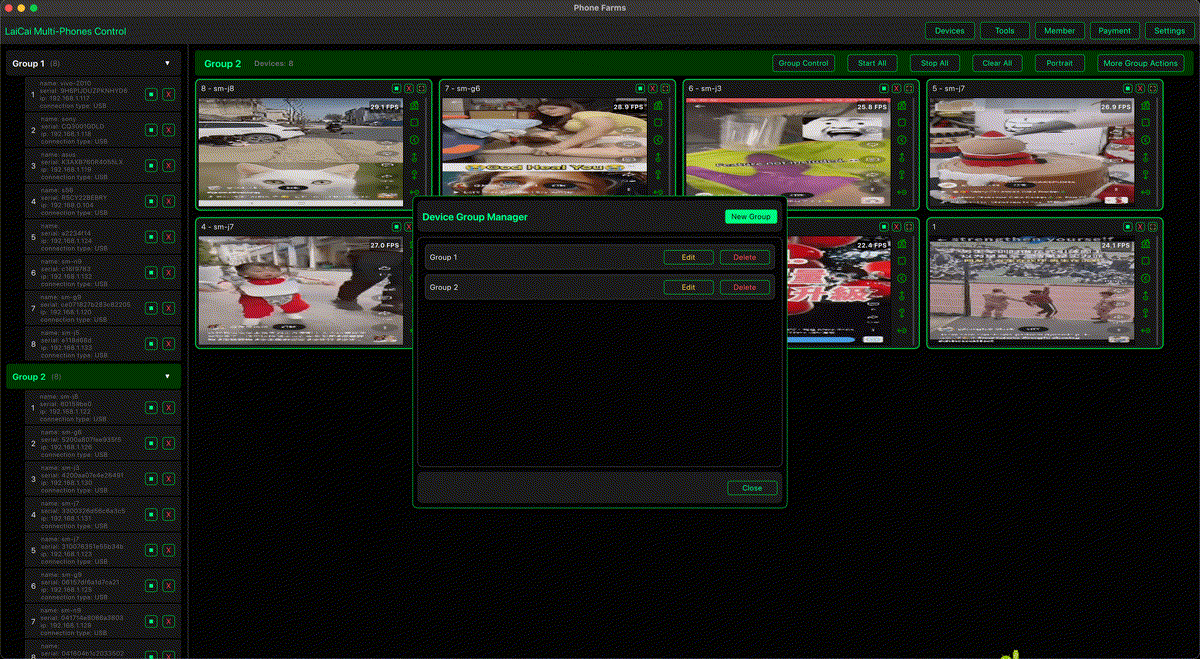
- Multi-device desks: combine 한 컴퓨터에서 여러 Android 폰 제어 with device labels and role-based rules.
실제 Android 폰 데스크 SOP
SOP는 지원폰, QA폰, 전자상거래 운영폰, 교육폰을 분리하고 기록 가능한 화면, 보관 기간, 개인정보 처리 기준을 정해야 합니다.
SOP는 지원폰, QA폰, 전자상거래 운영폰, 교육폰을 분리하고 기록 가능한 화면, 보관 기간, 개인정보 처리 기준을 정해야 합니다.
The safest teams also keep a short incident note template: device name, Android version, app version, account type, connection type, Advanced Protection state, warning text, screenshot or recording reference, and owner of the next step. This small habit prevents the common problem where one teammate records a clip but the next teammate cannot understand the device state.
보안 체크리스트
- 필요한 테스트 사유 없이 Advanced Protection을 끄지 않습니다.
- 개인폰 대신 업무용 또는 테스트폰을 사용합니다.
- USB 세션 전 폰을 잠금 해제하고 연결 상태를 기록합니다.
- 인증코드, 결제 정보, 개인정보, 무관한 앱을 녹화하지 않습니다.
- 짧고 목적이 분명한 증거만 캡처합니다.
- 지원, QA, 교육, 마케팅 자료를 분리해 관리합니다.
- 스팸, 허위 참여, 계정 악용, 게임 부정행위, 규칙 회피에 사용하지 않습니다.
의사결정 표
| Situation | Team action | How LaiCai Screen Mirroring helps |
|---|---|---|
| Advanced Protection 활성 | 활성 상태를 유지하고 기록 | 승인된 증거를 보기 쉽게 남김 |
| 잠금 중 USB 실패 | 폰을 잠금 해제하고 USB Protection 확인 | USB 미러링 오판 감소 |
| 지원 스크린샷 필요 | 허용된 화면만 캡처 | 인수인계 명확화 |
| QA 보안 흐름 테스트 | 모델, OS, 앱 버전, 보호 상태 기록 | 반복 가능한 실제 기기 증거 |
| 여러 폰 운영 | 역할별 그룹과 라벨 지정 | 다중 기기 데스크 정리 |
FAQ
Does LaiCai Screen Mirroring bypass Android 16 Advanced Protection?
No. LaiCai Screen Mirroring is for permitted viewing, control, screenshots, and recording of real Android phone workflows. It should not be used to bypass Android security, disable protections, or avoid app/platform rules.
Should teams disable Advanced Protection for screen mirroring?
Not by default. Keep protections enabled unless a documented QA case requires a temporary change. If a setting must be changed, record who changed it, why, and when it was restored.
What is the most important USB rule?
Unlock the trusted work phone before starting a USB data session, confirm the device prompt, and document the connection state. If the phone is locked, USB Protection may change how the connection behaves.
Where should teams go next?
Read Android 스캠 보호 지원 워크플로 and Android Drop 화면 미러링 워크플로 to connect Android security trends with support and real-device operation workflows.
공식 출처
Google Advanced Protection for mobile devices; Android Help: Advanced Protection; Android Help: USB Protection; Android security and privacy in 2026; Chrome on Android Advanced Protection.