Android 16 Advanced Protectionは、オンライン攻撃、有害アプリ、詐欺電話、データリスクに対する端末レベルの保護を強化します。
しかし、サポート、QA、EC、研修チームは一台の個人端末だけを守るわけではありません。実機Androidを業務フローとして扱います。
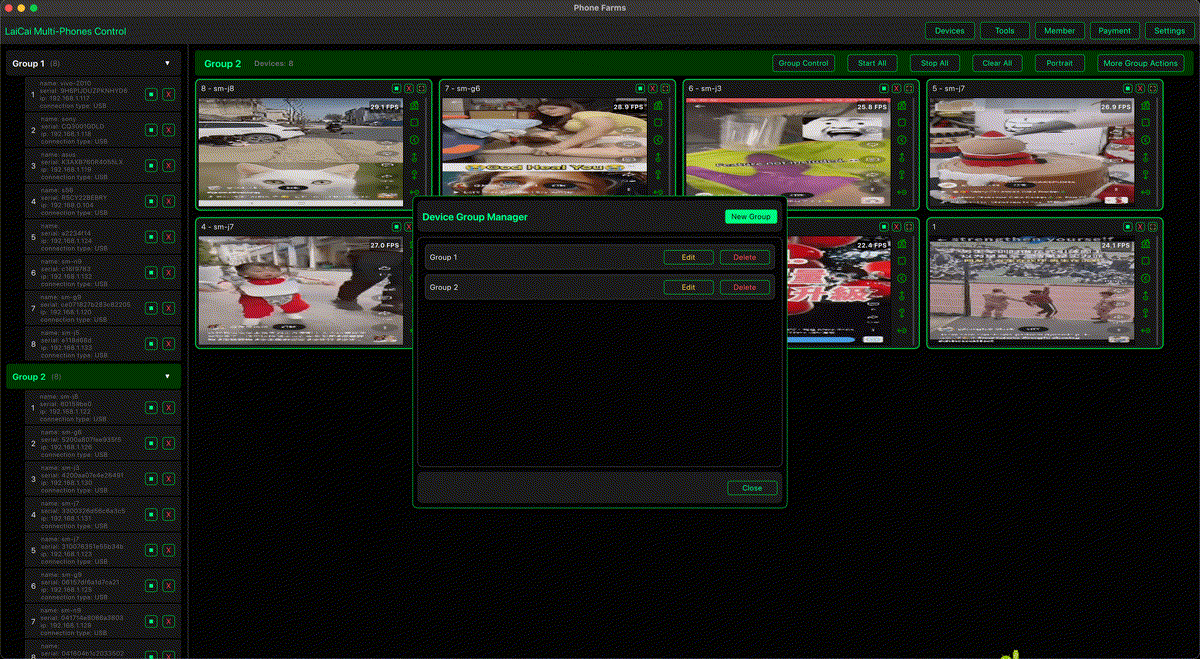
LaiCai Screen MirroringはAndroidセキュリティを置き換えません。許可された作業者がPC/Macから実機を見て操作し、承認された証拠だけを残すための運用レイヤーです。
要点
保護設定をオンにしたまま、どの端末がAdvanced Protection状態かを記録し、USB接続、ロック状態、アプリ警告を業務記録の一部として扱います。
For the practical setup, connect this workflow with PCからAndroid端末を操作, USBとWi-FiのAndroid画面ミラーリング, and 画面ミラーリング品質設定 so operators know whether a connection issue is caused by cable quality, phone lock state, network stability, or Android security behavior.
Android 16 Advanced Protectionの意味
保護設定をオンにしたまま、どの端末がAdvanced Protection状態かを記録し、USB接続、ロック状態、アプリ警告を業務記録の一部として扱います。
USB Protectionはロック中の未承認USBデータ接続を制限するため、信頼できるUSBミラーリングでは端末を解錠して接続状態を確認する必要があります。
Google’s Android Help documentation also explains that some protections may require a reboot and that the “Apps that checked for Device protection” page is available on Android 16 devices. This matters for teams because a device may not behave the same way before and after a protection state changes.
チーム業務で残る課題
SOPではサポート端末、QA端末、EC運用端末、研修端末を分け、記録してよい画面、保存期間、個人情報の扱いを決めます。
Use Android画面ミラーリングによるアプリテスト when the goal is bug reproduction, permission-flow testing, or app compatibility validation. Use 複数Android端末を扱うサポートチーム when the goal is support evidence and customer-case handoff. Use 適切な実機Android運用ワークフロー only for legitimate real-device operations such as QA, support, training, repair checks, and e-commerce workflows.
USB Protectionと画面ミラーリング
USB Protectionはロック中の未承認USBデータ接続を制限するため、信頼できるUSBミラーリングでは端末を解錠して接続状態を確認する必要があります。
USB Protectionはロック中の未承認USBデータ接続を制限するため、信頼できるUSBミラーリングでは端末を解錠して接続状態を確認する必要があります。
Teams should write this into the SOP: if a trusted USB session stops after the phone locks or reconnects, check Android security state before changing screen mirroring settings. In many cases, the fix is not lowering bitrate or changing FPS; the fix is confirming the phone is unlocked, trusted, and allowed to transfer data.
明確なルールが必要な場面
SOPではサポート端末、QA端末、EC運用端末、研修端末を分け、記録してよい画面、保存期間、個人情報の扱いを決めます。
- Support: reproduce issues, capture permitted evidence, and avoid private customer content.
- QA: record device model, OS version, app version, protection state, connection type, and exact steps.
- E-commerce: review product pages, order states, and app flows without recording payment or identity data.
- Training: use sanitized demo accounts and reusable recordings that contain no private information.
- Multi-device desks: combine 1台のPCで複数Android端末を操作 with device labels and role-based rules.
実機Androidデスクの安全SOP
SOPではサポート端末、QA端末、EC運用端末、研修端末を分け、記録してよい画面、保存期間、個人情報の扱いを決めます。
SOPではサポート端末、QA端末、EC運用端末、研修端末を分け、記録してよい画面、保存期間、個人情報の扱いを決めます。
The safest teams also keep a short incident note template: device name, Android version, app version, account type, connection type, Advanced Protection state, warning text, screenshot or recording reference, and owner of the next step. This small habit prevents the common problem where one teammate records a clip but the next teammate cannot understand the device state.
セキュリティチェックリスト
- Advanced Protectionを必要なく無効にしない。
- 個人端末ではなく業務用またはテスト端末を使う。
- USBセッション前に端末を解錠し、接続状態を記録する。
- 認証コード、支払い情報、個人情報、無関係なアプリを録画しない。
- 短く目的の明確な証拠だけを記録する。
- サポート、QA、研修、マーケティング素材を分けて管理する。
- スパム、偽エンゲージメント、アカウント悪用、不正行為、規約回避に使わない。
判断表
| Situation | Team action | How LaiCai Screen Mirroring helps |
|---|---|---|
| Advanced Protectionが有効 | 有効のまま端末状態を記録 | 許可された証拠を見やすく残す |
| ロック中にUSBが失敗 | 端末を解錠しUSB Protectionを確認 | USBミラーリングの誤判定を減らす |
| サポートでスクリーンショットが必要 | 許可画面だけを保存 | 引き継ぎを明確化 |
| QAが安全関連フローをテスト | 機種、OS、アプリ版、保護状態を記録 | 再現可能な実機証拠 |
| 複数端末を運用 | 役割別に分類しラベル付け | 多端末デスクを整理 |
FAQ
Does LaiCai Screen Mirroring bypass Android 16 Advanced Protection?
No. LaiCai Screen Mirroring is for permitted viewing, control, screenshots, and recording of real Android phone workflows. It should not be used to bypass Android security, disable protections, or avoid app/platform rules.
Should teams disable Advanced Protection for screen mirroring?
Not by default. Keep protections enabled unless a documented QA case requires a temporary change. If a setting must be changed, record who changed it, why, and when it was restored.
What is the most important USB rule?
Unlock the trusted work phone before starting a USB data session, confirm the device prompt, and document the connection state. If the phone is locked, USB Protection may change how the connection behaves.
Where should teams go next?
Read Android詐欺対策のサポートワークフロー and Android Dropと画面ミラーリング to connect Android security trends with support and real-device operation workflows.
公式ソース
Google Advanced Protection for mobile devices; Android Help: Advanced Protection; Android Help: USB Protection; Android security and privacy in 2026; Chrome on Android Advanced Protection.