Android 16 makes desktop-style Android workflows easier to talk about because connected displays, resizable windows, keyboard input, and mouse input are becoming more visible. Google’s Android desktop experience guidance also encourages apps to expose keyboard shortcuts clearly.
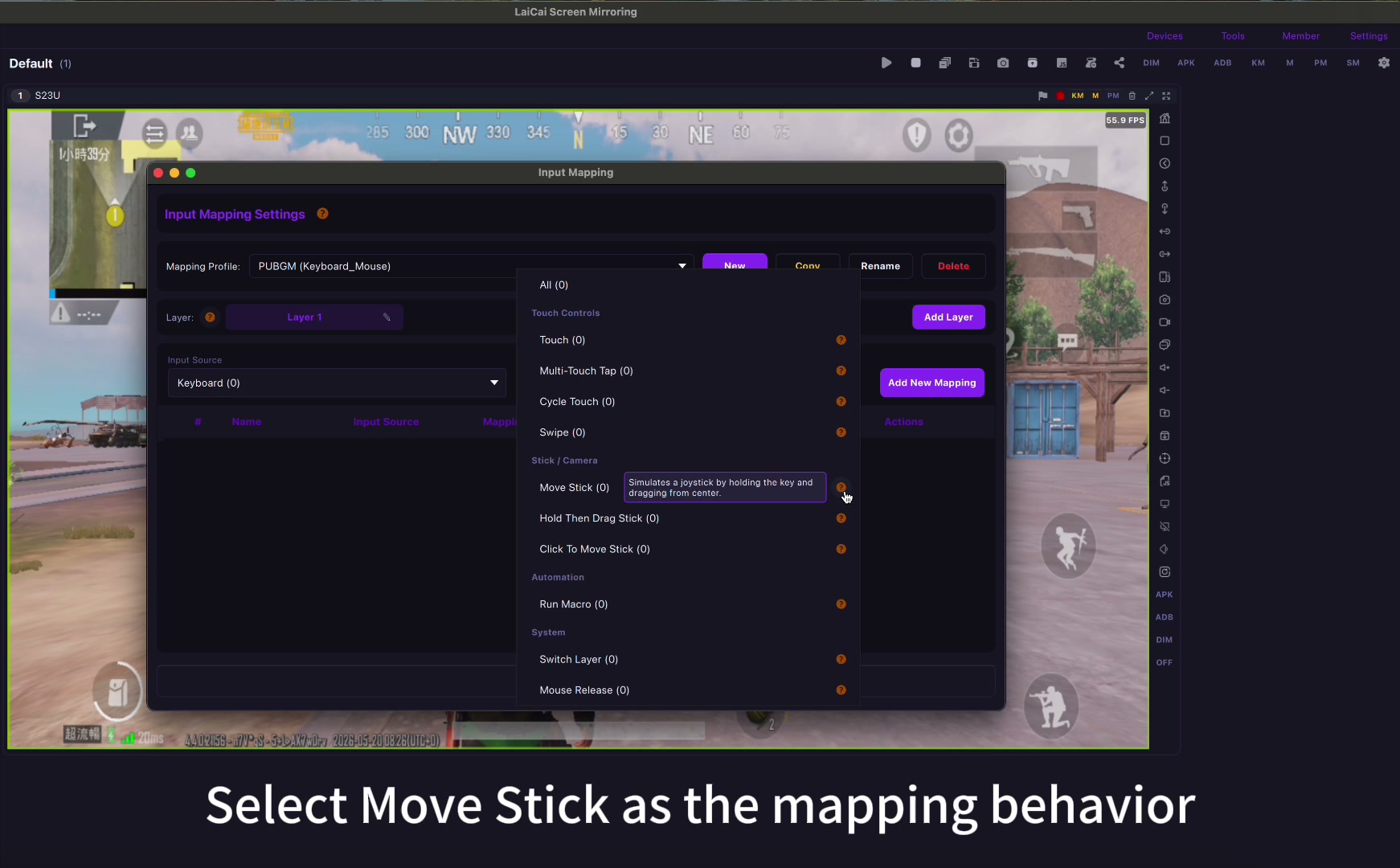
That does not mean Android keyboard shortcuts and mobile game key mapping are the same thing. A shortcut usually triggers a system or app command. A game key map turns a physical keyboard or mouse action into a touch-area control on the real phone screen.
For players using LaiCai Screen Mirroring, this distinction matters. You are not only typing faster; you are designing a playable control layout for movement, aiming, firing, inventory, skill buttons, camera control, driving, and map actions.
Why These Two Ideas Get Mixed Up
If your goal is Android productivity, Android 16 keyboard shortcuts are the right topic. If your goal is playing PUBG Mobile, Free Fire, COD Mobile, Roblox, Genshin-style games, or other touch-first games from a PC or Mac, drag-and-drop key mapping is the workflow to study. For a full setup path, start with the LaiCai key mapping guide and the guide to play Android games on PC without an emulator.
Android 16 Keyboard Shortcuts Are System and App Commands
Android keyboard shortcuts are most useful for window switching, app commands, text editing, navigation, accessibility, and productivity workflows on a larger display. They are controlled by Android and by each app.
Mobile Game Key Mapping Is Touch Control Mapping
Mobile game key mapping is practical when a game still expects touch controls. With Android game key mapping, you place WASD over the movement stick, assign mouse movement to camera look, put click actions over fire or aim, and map keys to backpack, jump, crouch, reload, skills, or vehicle controls.
How to Build a Useful Game Layout
- Start with movement and camera control first.
- Add fire, aim, reload, jump, crouch, and sprint only after the core layout feels stable.
- Use different profiles for shooters, MOBAs, racing games, sandbox games, and RPGs.
- Keep important buttons reachable by one hand and avoid overlapping touch zones.
- Record a short test clip after editing the layout so you can spot mistakes before a real match.
If your goal is Android productivity, Android 16 keyboard shortcuts are the right topic. If your goal is playing PUBG Mobile, Free Fire, COD Mobile, Roblox, Genshin-style games, or other touch-first games from a PC or Mac, drag-and-drop key mapping is the workflow to study. For a full setup path, start with the LaiCai key mapping guide and the guide to play Android games on PC without an emulator.
Use It Fairly
Follow each game’s rules and use key mapping only in allowed play environments. LaiCai Screen Mirroring is positioned for real-device control, practice, content creation, tutorials, QA, and permitted workflows, not cheating or rule evasion.
References: Android Developers keyboard interaction; Android Developers connected displays; Android Developers desktop windowing.