Before you start
Use object detection when LaiCai must find where an object is on screen. Image classification only answers what an entire image contains and does not return a bounding box.
Use Recognition Training in LaiCai Screen Mirroring to record, label, train, and test an object detection model without leaving the app. If you already have a YOLO dataset or want full control over training, follow the advanced workflow further down.
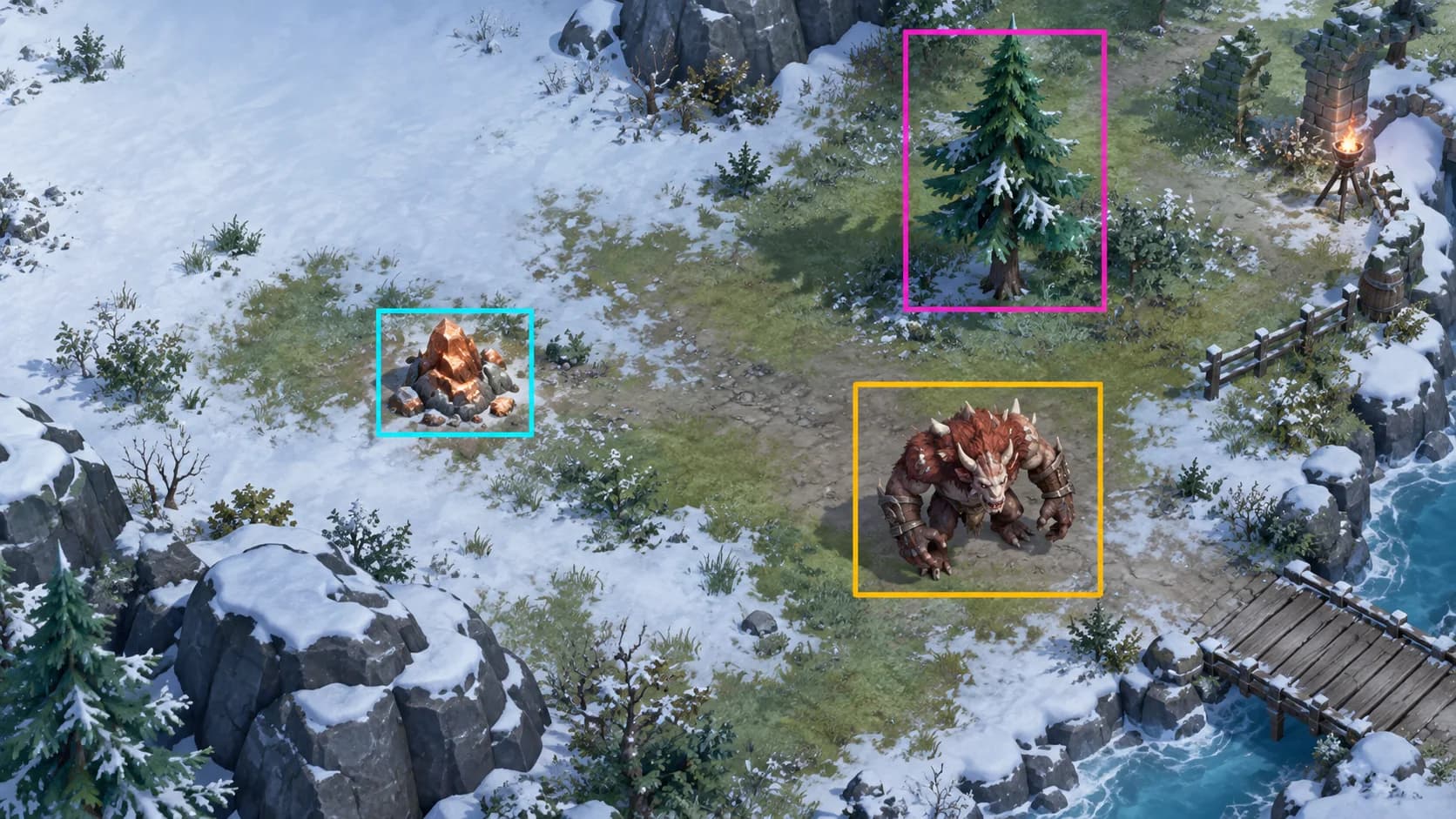
Open in LaiCai Screen Mirroring, create a project, and work through the seven steps in the sidebar.
Add the object classes you want to recognize, such as ores, trees, or buttons.
Connect a phone, play normally, and record the screen as a demonstration video.
Scrub through a demonstration or step frame by frame, and save the frames that are useful for training.
Draw a box around every target in each image. Images without any target can be saved as no-target images.
Train a new model version from the annotated images.
Run live recognition on a connected phone, correct missed or false detections, and save them back as samples.
Review previous model versions and their training results.
If you already have a YOLO dataset or want to control the model architecture and training parameters yourself, you can label and train outside the app and then import the ONNX model into LaiCai.
Use object detection when LaiCai must find where an object is on screen. Image classification only answers what an entire image contains and does not return a bounding box.
Usually yes when they appear in the same game or app, use the same screenshot scale, and need to be detected in the same Flow. Separate models only when the scenes are unrelated, the class list becomes very large, or one group needs a different input size or performance target.
Collect frames from the exact device, resolution, zoom level, and visual quality that LaiCai will see. Diversity matters more than saving many consecutive video frames that look almost identical.
A class should represent one visual decision the Flow needs to make. Keep names short, unique, and stable because the same order is used in YOLO labels, data.yaml, config.json, and the vision.detect class selector.
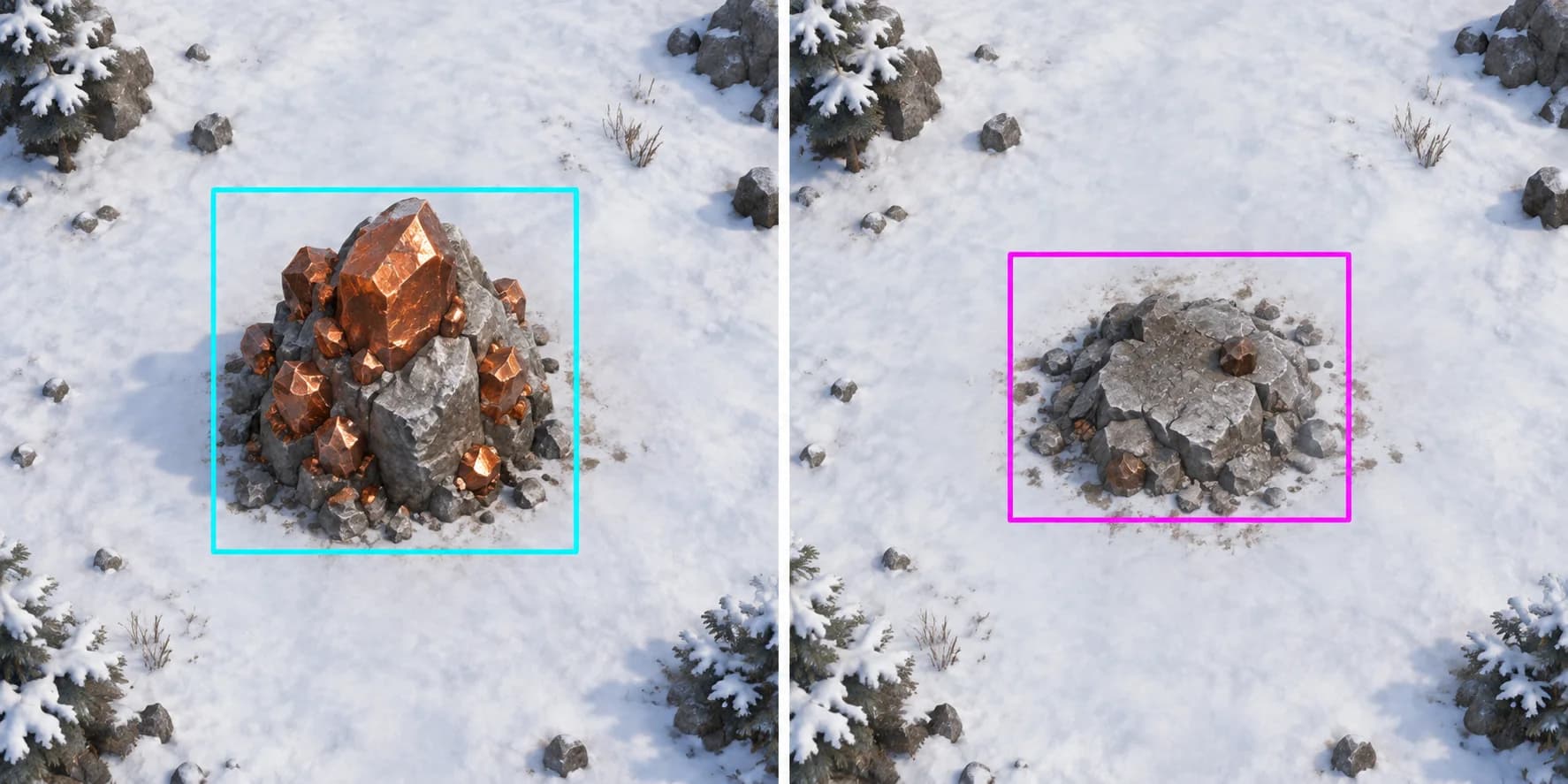
If a collected resource still resembles the available resource, label both states, for example Copper and CopperDepleted. Do not expect a confidence threshold alone to reliably separate two real visual states.
MakeSense.ai is a free browser-based labeling tool. For LaiCai models, choose Object Detection, use rectangular boxes, and export YOLO annotations.
Open MakeSense.ai and upload the source images. Keep your original image folder; the exported label ZIP does not replace it.
Choose Object Detection, not Image Recognition.
Create the final class list in a fixed order, then draw a rectangle around every target instance.
Review empty images, missed objects, wrong classes, and loose boxes before export.
Export Rect annotations as a ZIP package in YOLO format.
Pair each image with a same-named .txt label file. Split by recording session or time range, not by randomly scattering adjacent video frames across train and validation.
dataset/
├── images/
│   ├── train/
│   └── val/
├── labels/
│   ├── train/
│   └── val/
└── data.yamlpath: /absolute/path/to/dataset
train: images/train
val: images/val
names:
0: Copper
1: CopperDepleted
2: Wood
3: MonsterA practical starting split is 80% train and 20% validation. The validation set must contain genuinely unseen scenes.
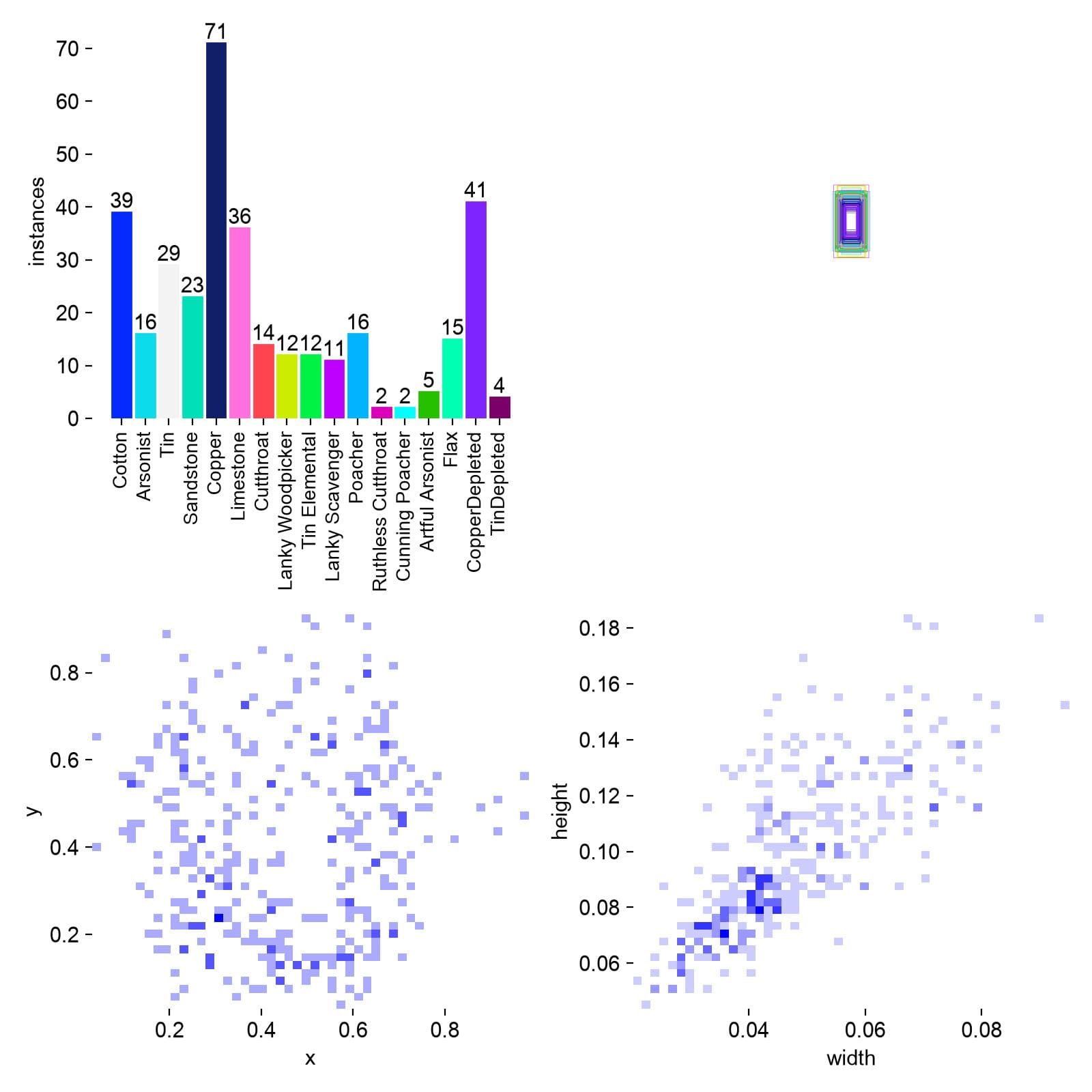
The example below uses versions verified with this workflow. A Nano model is the safest starting point for continuous detection. Use 640 px for larger objects and 960 px when important targets are small.
python3 -m venv .venv
source .venv/bin/activate
python -m pip install --upgrade pip
pip install ultralytics==8.4.138 onnx==1.22.0 \
onnxruntime==1.29.0 onnxslim==0.1.96| Parameter | Starting value | Why |
|---|---|---|
model | YOLO26n | Small and fast enough for the first iteration. |
imgsz | 960 / 640 | Use 960 for small targets; use 640 when targets are larger or speed matters more. |
epochs | 200 | Sets a generous ceiling while early stopping can finish sooner. |
patience | 40 | Stops after validation has not improved for 40 epochs. |
batch | 8 | Reduce to 4 or 2 if memory runs out; increase only after measuring. |
device | mps / 0 / cpu | Apple silicon uses mps, NVIDIA uses 0, and any machine can use cpu. |
workers | 4 | A conservative cross-platform starting point. |
seed | 42 | Makes dataset and training comparisons easier to reproduce. |
close_mosaic | 15 | Disables mosaic near the end so final epochs see more natural images. |
from ultralytics import YOLO

model = YOLO("yolo26n.pt")
model.train(
    data="dataset/data.yaml",
    imgsz=960,
    epochs=200,
    patience=40,
    batch=8,
    device="mps",  # NVIDIA: 0 · CPU: "cpu"
    workers=4,
    seed=42,
    close_mosaic=15,
)Use the best checkpoint, inspect predictions on unseen screenshots, and review each class separately. A high global score can hide a weak rare class.
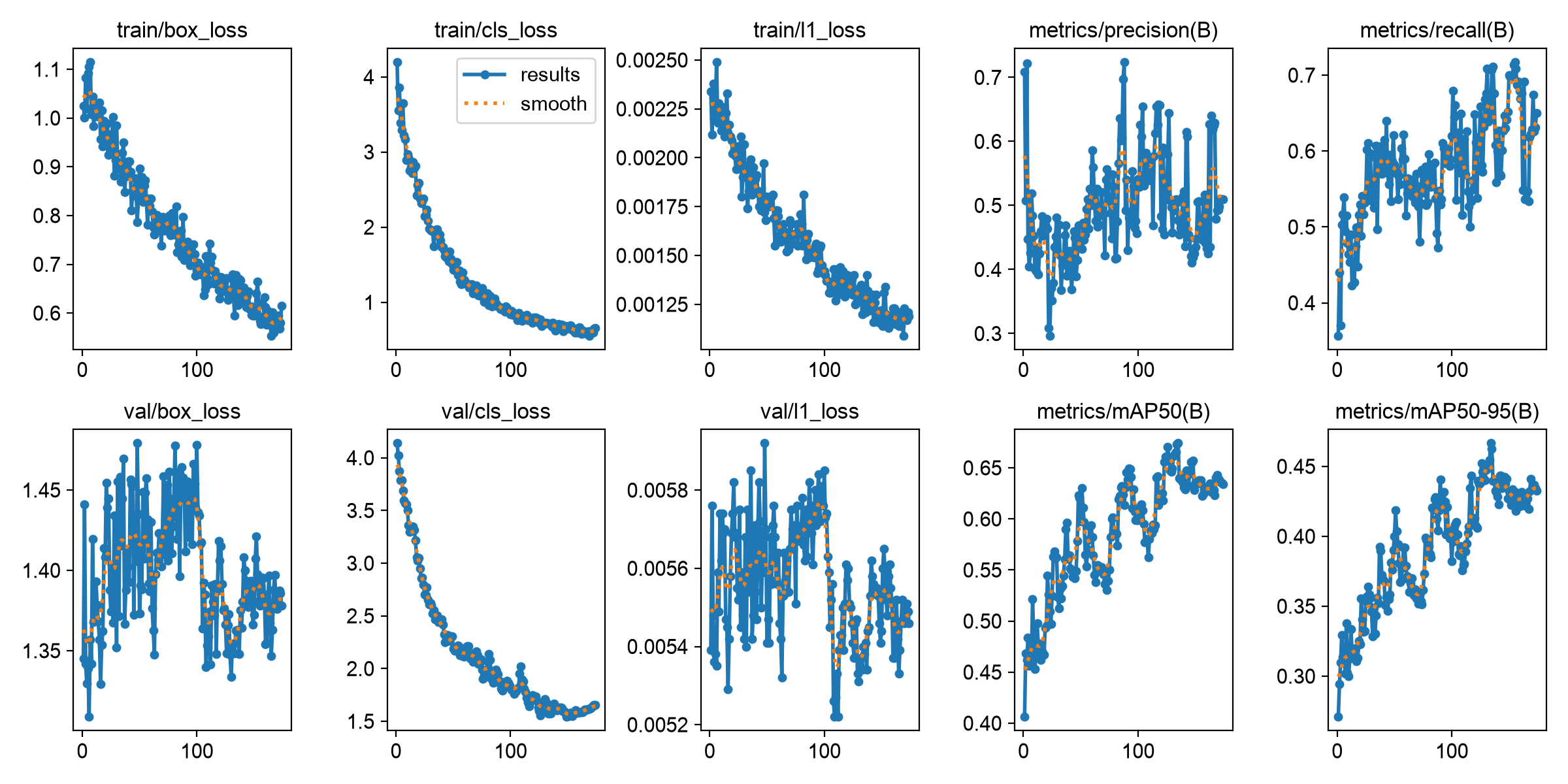
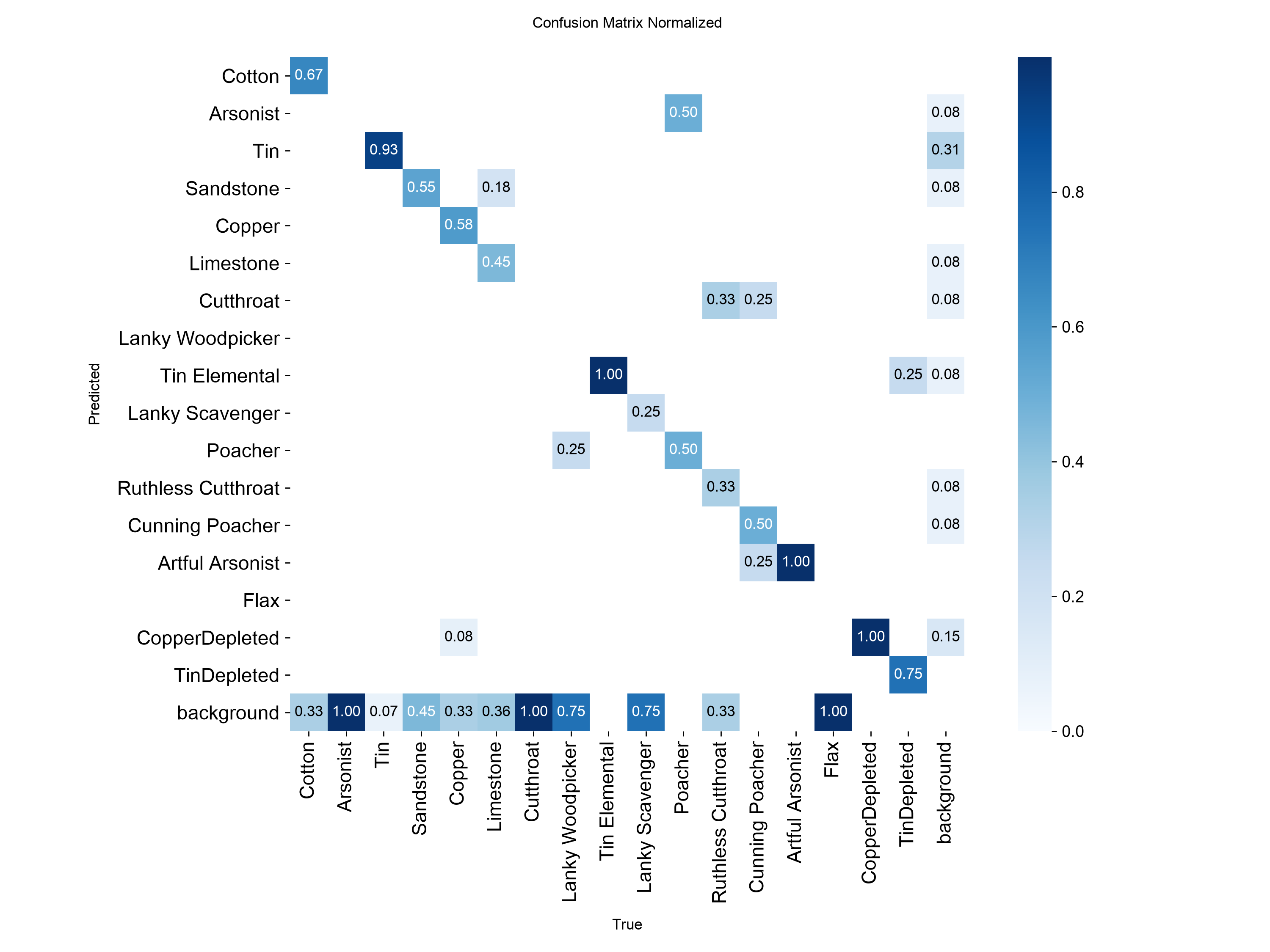
LaiCai imports ONNX, not the training .pt file. Export one static NCHW RGB input, batch 1, float32 or float16, and raw one-to-many predictions so LaiCai can apply confidence filtering and NMS.
from ultralytics import YOLO

model = YOLO("runs/detect/train/weights/best.pt")
model.export(
    format="onnx",
    imgsz=960,
    batch=1,
    dynamic=False,
    simplify=True,
    nms=None,
)Select the directory itself in LaiCai's Model library. The directory must contain config.json and the ONNX file named by modelFile. The class IDs must start at 0 and remain contiguous.
game-objects/
├── config.json
└── model.onnx{
"id": "game-objects-v1",
"name": "Game Objects v1",
"type": "yolo",
"modelFile": "model.onnx",
"outputFormat": "raw_yolo_no_objectness",
"id2label": {
"0": "Copper",
"1": "CopperDepleted",
"2": "Wood",
"3": "Monster"
},
"label2id": {
"Copper": 0,
"CopperDepleted": 1,
"Wood": 2,
"Monster": 3
}
}If LaiCai says config.json is missing or unreadable, you selected an ONNX file or an incomplete folder. Import the complete model directory and make sure id2label or label2id defines every class.
Open LaiCai Flow, go to Model library, import the prepared directory, and confirm that the model is marked Compatible before using it in vision.detect.
Save the original images, YOLO labels, class list, data.yaml, training command, and best.pt together. These files are your reusable dataset source; the exported ONNX file alone is not enough for reliable retraining.
No. Label the new batch, export it, and merge it with the saved old dataset offline. Re-import old data only when you need to correct old annotations.
Yes, but append it after the existing classes and remap the new export by class name. Then retrain on the full dataset so the old classes remain represented.
The two states are visually similar and the model has not learned the distinction. Add a separate depleted-state class or verified hard-negative examples, then retrain and review the confusion matrix.
No. A threshold can trade recall for precision, but it cannot replace missing classes, inconsistent labels, or confusing negative examples.
The commands and compatibility choices in this guide were checked against the current official documentation and the LaiCai model contract.
After the model is compatible, use vision.detect to choose a class, threshold, and screen region, then connect the success or failure path to the next Flow action.