ให้ Roblox Mobile รันบน Android จริง แล้วใช้ PC/Mac เป็นจอใหญ่ คีย์บอร์ด เมาส์ และพื้นที่บันทึกวิดีโอ LaiCai Screen Mirroring.
ทำไมควรใช้ Android จริง
Roblox แต่ละ experience อาจมีวิธีควบคุมต่างกัน การใช้ Android จริงแล้วให้ PC เป็นจอใหญ่จึงเหมาะกับหลายสถานการณ์
LaiCai Screen Mirroring เก็บแอป การล็อกอิน และ UI มือถือไว้บนโทรศัพท์ ส่วน PC/Mac ใช้แสดงผล ควบคุม จับภาพ และบันทึก
Use it as part of the broader เล่น Roblox Mobile บน PC workflow.
การเชื่อมต่อและ key mapping
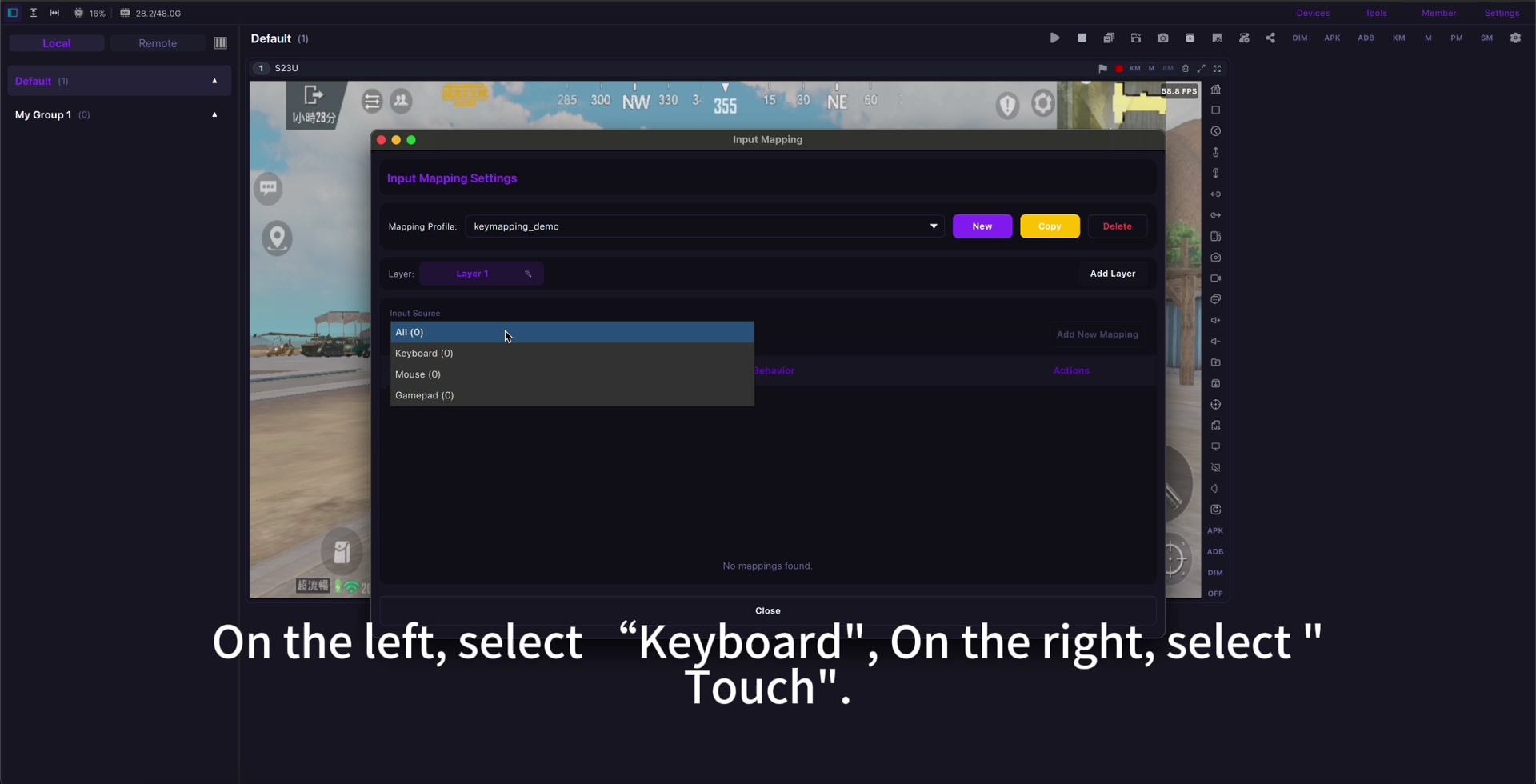
เริ่มด้วย USB อัปเดต Roblox เปิด experience ที่ต้องการ แล้ว map การเดิน กระโดด กล้อง โต้ตอบ chat และปุ่มที่จำเป็นเท่านั้น
ใช้คู่มือ key mapping และสร้างโปรไฟล์แยกสำหรับ experience ที่ต่างกันมาก Roblox Mobile key mapping.
If input feels delayed, check ลดดีเลย์การมิเรอร์ Android before rebuilding the whole profile.
การบันทึกและความปลอดภัย
ก่อนบันทึกให้ตรวจเสียง แจ้งเตือน ความเป็นส่วนตัว และ family settings หลีกเลี่ยง bot, automation, macro ที่ไม่ยุติธรรม และการละเมิดกฎ
Use mirroring for visibility, comfort, screenshots, recording, real-device testing, and family-friendly screen sharing.
Setup checklist
- Use a real Android phone.
- Start with USB.
- Open the exact Roblox experience first.
- Map only needed controls.
- Create separate profiles when controls differ.
- Check audio, privacy, and family settings.
- Follow Roblox rules and community standards.
Sources: Roblox download page, Google Play, App Store, Community Standards, Terms of Use, Roblox mobile input documentation.