Roblox Mobile은 실제 Android에서 실행하고 PC/Mac은 큰 화면, 키보드, 마우스, 녹화 공간으로 사용합니다. LaiCai Screen Mirroring.
실제 Android를 유지하는 이유
Roblox는 경험마다 조작 방식이 달라서 실제 Android 앱을 유지한 채 PC를 큰 화면과 입력 공간으로 쓰면 편합니다.
LaiCai Screen Mirroring은 앱, 로그인, 모바일 UI를 휴대폰에 남기고 PC/Mac에서 보기, 조작, 스크린샷, 녹화를 처리합니다.
Use it as part of the broader PC에서 Roblox Mobile 플레이 workflow.
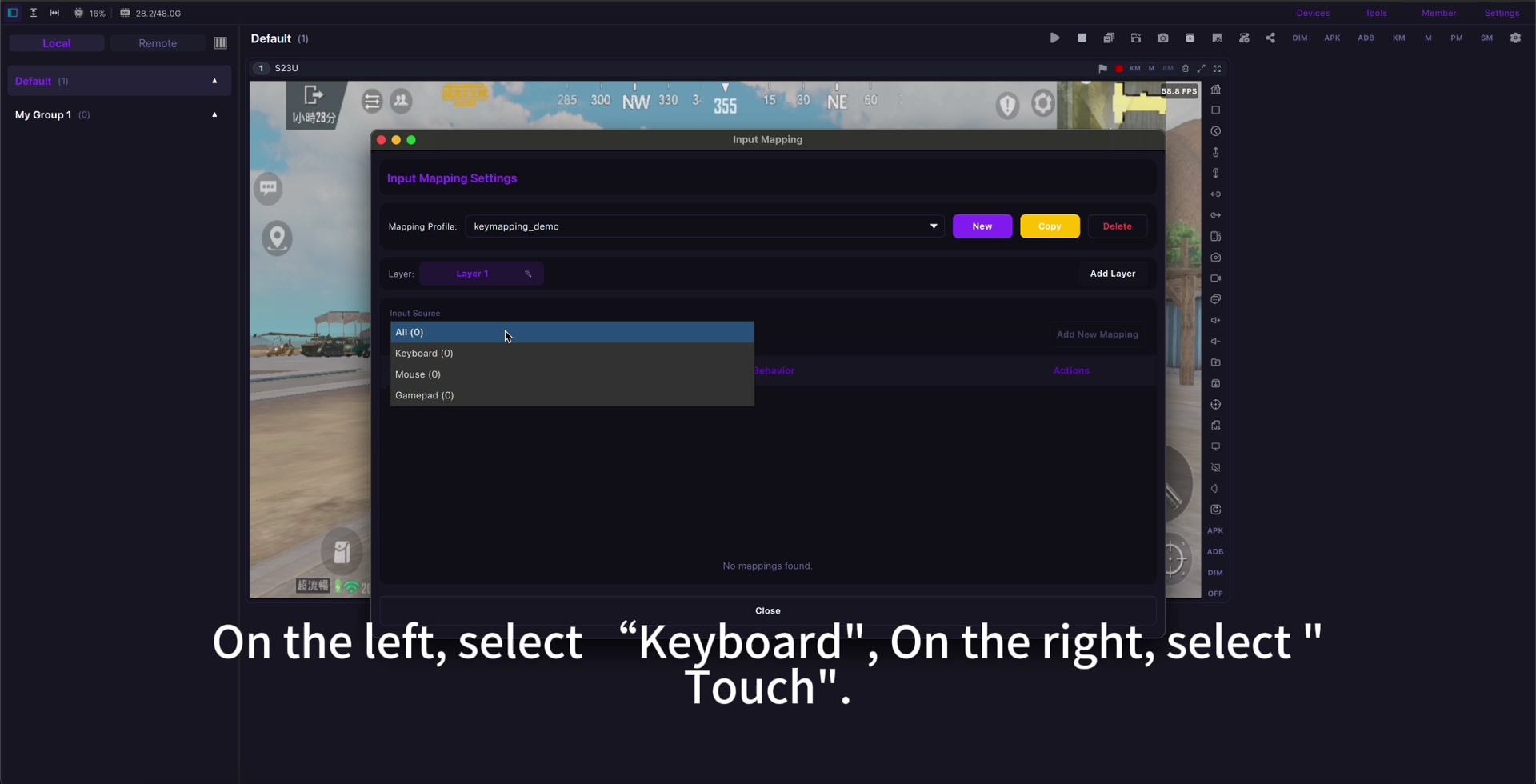
연결과 키 매핑
먼저 USB로 연결하고 Roblox를 업데이트한 뒤 원하는 경험을 연 다음 이동, 점프, 카메라, 상호작용, 채팅, 필요한 액션만 매핑합니다.
자세한 설정은 키 매핑 가이드를 보고 서로 다른 경험에는 별도 프로필을 만드세요. Roblox Mobile 키 매핑.
If input feels delayed, check Android 미러링 지연 줄이기 before rebuilding the whole profile.
녹화와 안전한 사용
녹화 전에 오디오, 알림, 개인정보, 가족 설정을 확인하고 봇, 자동화, 불공정 매크로, 규칙 위반은 사용하지 마세요.
Use mirroring for visibility, comfort, screenshots, recording, real-device testing, and family-friendly screen sharing.
Setup checklist
- Use a real Android phone.
- Start with USB.
- Open the exact Roblox experience first.
- Map only needed controls.
- Create separate profiles when controls differ.
- Check audio, privacy, and family settings.
- Follow Roblox rules and community standards.
Sources: Roblox download page, Google Play, App Store, Community Standards, Terms of Use, Roblox mobile input documentation.