Giữ Roblox Mobile chạy trên Android thật và dùng PC/Mac làm màn hình lớn, bàn phím, chuột và không gian ghi hình. LaiCai Screen Mirroring.
Vì sao giữ Roblox trên Android thật
Roblox có nhiều trải nghiệm với cách điều khiển khác nhau, nên giữ app Android thật và dùng PC làm màn hình lớn rất hữu ích.
LaiCai Screen Mirroring giữ app, đăng nhập và giao diện di động trên điện thoại, còn PC/Mac xử lý hiển thị, điều khiển, screenshot và ghi hình.
Use it as part of the broader chơi Roblox Mobile trên PC workflow.
Kết nối và key mapping
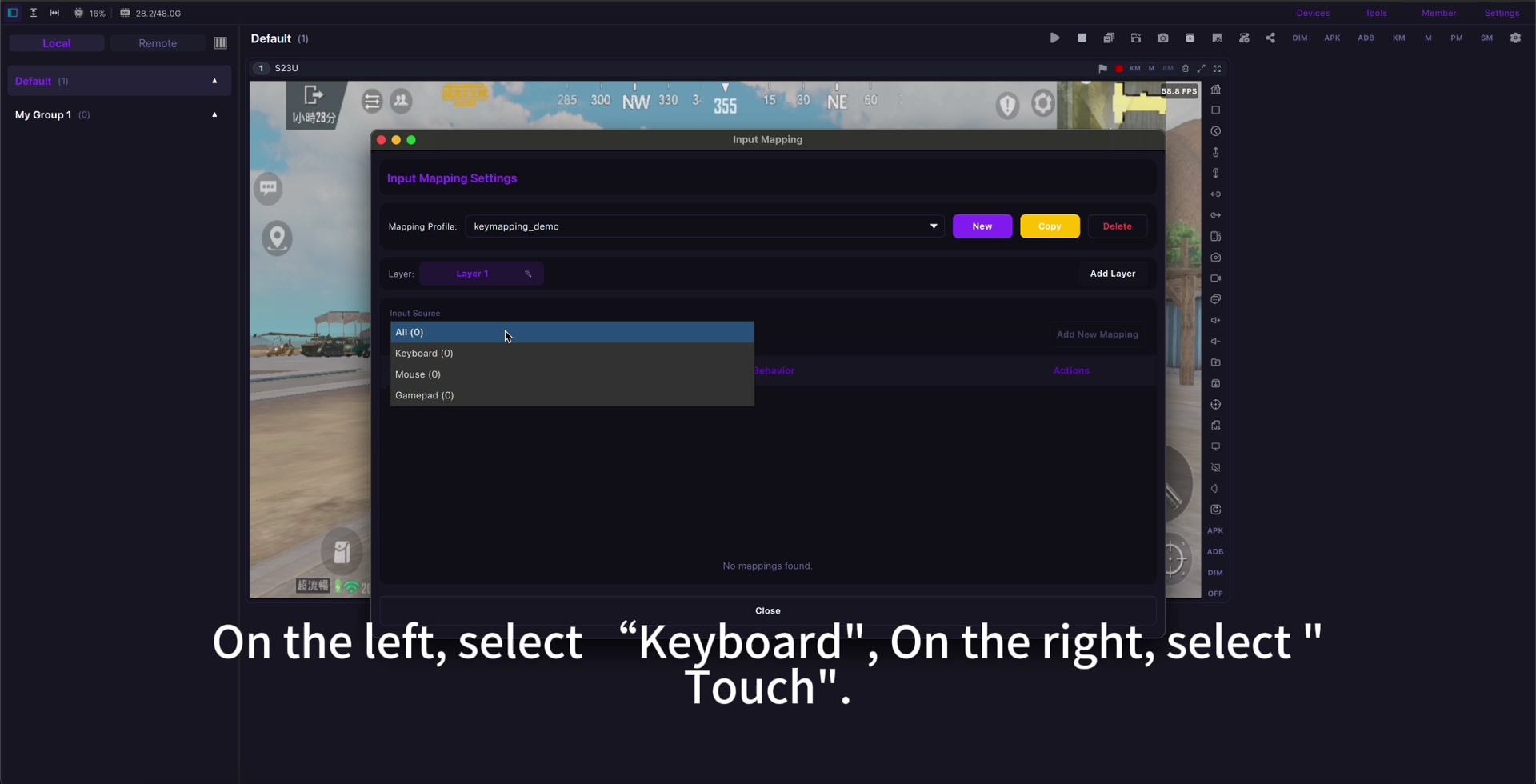
Hãy bắt đầu bằng USB, cập nhật Roblox, mở đúng trải nghiệm rồi map di chuyển, nhảy, camera, tương tác, chat và các nút thật sự cần dùng.
Dùng hướng dẫn key mapping để tạo profile riêng cho các trải nghiệm khác nhau. Roblox Mobile key mapping.
If input feels delayed, check giảm độ trễ chiếu màn hình Android before rebuilding the whole profile.
Ghi hình và an toàn
Trước khi ghi công khai, kiểm tra âm thanh, thông báo, quyền riêng tư và cài đặt gia đình; tránh bot, automation, macro không công bằng và vi phạm luật.
Use mirroring for visibility, comfort, screenshots, recording, real-device testing, and family-friendly screen sharing.
Setup checklist
- Use a real Android phone.
- Start with USB.
- Open the exact Roblox experience first.
- Map only needed controls.
- Create separate profiles when controls differ.
- Check audio, privacy, and family settings.
- Follow Roblox rules and community standards.
Sources: Roblox download page, Google Play, App Store, Community Standards, Terms of Use, Roblox mobile input documentation.