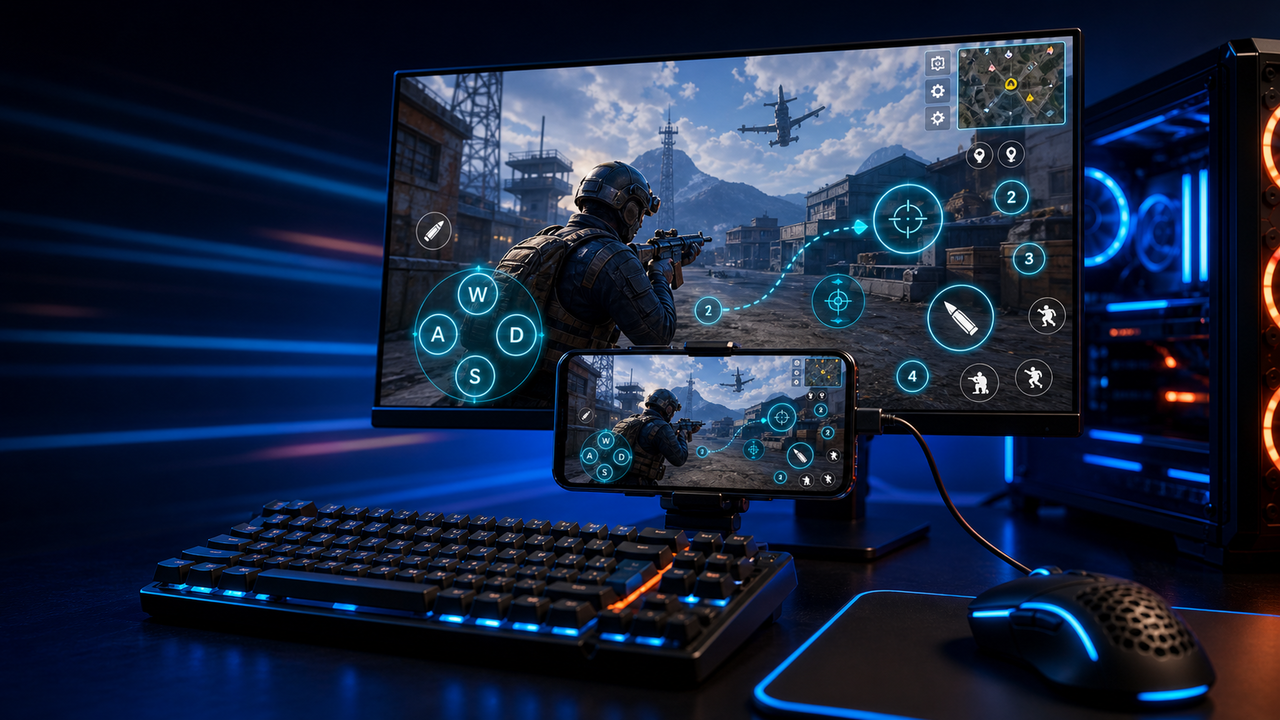
Keyboard and mouse key mapping
Turn touch controls into a PC-style layout for movement, aiming, firing, skills, camera, backpack, and common game actions.
Mobile games on PC, powered by Android devices and emulators
Mirror Android devices and emulators to Windows or macOS, then use keyboard, mouse, gamepad, and custom key mapping for supported mobile game workflows.
LaiCai
A larger screen, physical controls, and custom layouts can make long sessions more comfortable while PUBG Mobile, Free Fire, COD Mobile, Mobile Legends, Roblox, and other games run on Android devices or emulators.
Шаги
Connect your phone, open the game, then tune the controls for your own play style.
Install LaiCai Screen Mirroring on your Windows PC or Mac.
Connect the Android phone by USB or a supported Wi-Fi workflow.
Open PUBG Mobile, Free Fire, COD Mobile, Mobile Legends, Roblox, or another supported game on the phone.
Mirror the phone screen to the computer workspace.
Drag key-mapping controls onto movement, camera, fire, backpack, skill, and action areas.
Test the layout, adjust sensitivity, then save the mapping for the next session.
Рабочий процесс
Turn touch controls into a PC-style layout for movement, aiming, firing, skills, camera, backpack, and common game actions.
The game keeps running on your Android device or emulator while LaiCai Screen Mirroring gives you a larger PC or Mac display for daily play and tutorials.
Capture screenshots, record short clips, and keep reusable control layouts for PUBG Mobile, Free Fire, COD Mobile, Mobile Legends, and Roblox.
Сравнение
Подходит для виртуальных сред Android и многих игр.
LaiCai лучше использовать, когда рабочий процесс должен осуществляться на реальном телефоне.Подходит для технических пользователей, которым нужно легкое зеркало.
LaiCai добавляет визуальный рабочий процесс продукта, сопоставление клавиш, запись и группы устройств.Хорошо, когда устройство не обязательно должно быть локальным.
LaiCai фокусируется на местных реальных телефонах Android, управляемых с ПК или Mac.Часто задаваемые вопросы
LaiCai Screen Mirroring is useful for players who want computer controls for Android devices and supported emulators.
Да. LaiCai поддерживает Windows и macOS.
Для поддерживаемых игровых сценариев LaiCai позволяет использовать key mapping, пока игра работает на реальном телефоне.
Да. LaiCai поддерживает раскладки клавиатуры, мыши и контроллера.
Да. LaiCai включает группы устройств и рабочие процессы для нескольких телефонов.
LaiCai Screen Mirroring is useful for players who want computer controls for Android devices and supported emulators.