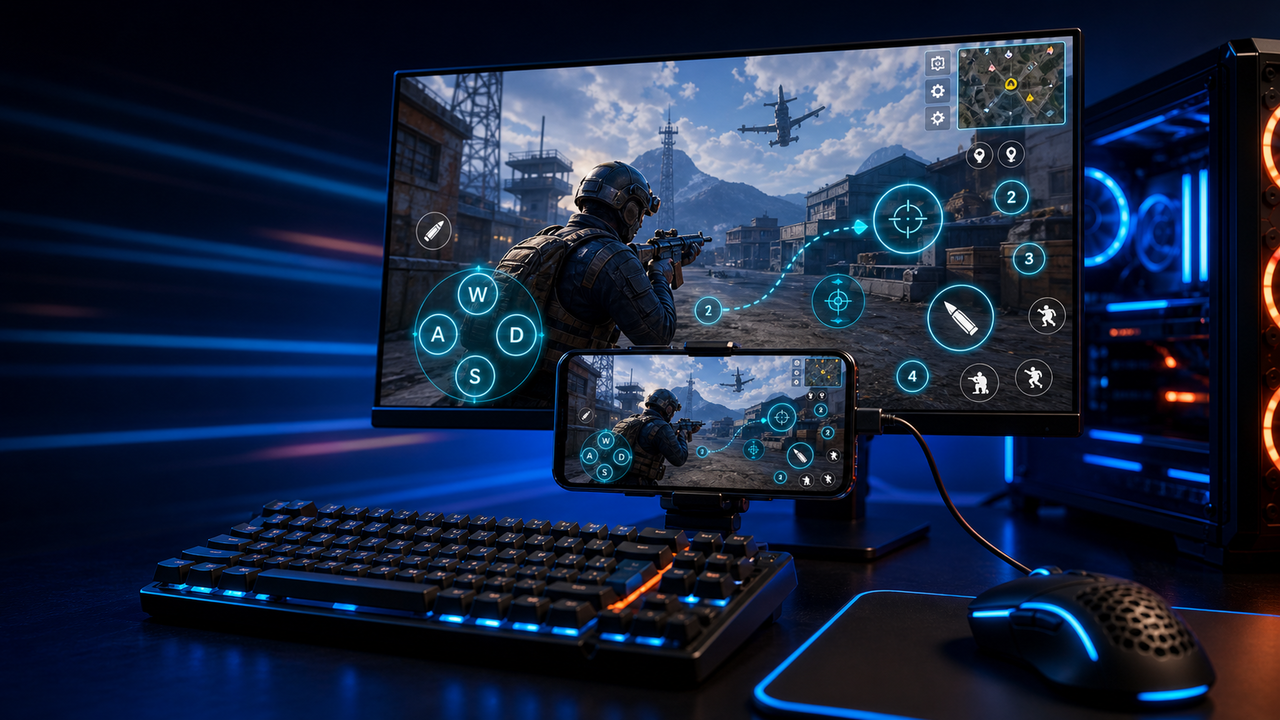
Keyboard and mouse key mapping
Turn touch controls into a PC-style layout for movement, aiming, firing, skills, camera, backpack, and common game actions.
Mobile games on PC, powered by Android devices and emulators
Mirror Android devices and emulators to Windows or macOS, then use keyboard, mouse, gamepad, and custom key mapping for supported mobile game workflows.
LaiCai
A larger screen, physical controls, and custom layouts can make long sessions more comfortable while PUBG Mobile, Free Fire, COD Mobile, Mobile Legends, Roblox, and other games run on Android devices or emulators.
Các bước
Connect your phone, open the game, then tune the controls for your own play style.
Install LaiCai Screen Mirroring on your Windows PC or Mac.
Connect the Android phone by USB or a supported Wi-Fi workflow.
Open PUBG Mobile, Free Fire, COD Mobile, Mobile Legends, Roblox, or another supported game on the phone.
Mirror the phone screen to the computer workspace.
Drag key-mapping controls onto movement, camera, fire, backpack, skill, and action areas.
Test the layout, adjust sensitivity, then save the mapping for the next session.
Quy trình làm việc
Turn touch controls into a PC-style layout for movement, aiming, firing, skills, camera, backpack, and common game actions.
The game keeps running on your Android device or emulator while LaiCai Screen Mirroring gives you a larger PC or Mac display for daily play and tutorials.
Capture screenshots, record short clips, and keep reusable control layouts for PUBG Mobile, Free Fire, COD Mobile, Mobile Legends, and Roblox.
So sánh
Tốt cho môi trường Android ảo và nhiều trò chơi.
LaiCai sẽ tốt hơn khi quy trình làm việc phải diễn ra trên điện thoại thật.Tốt cho người dùng kỹ thuật muốn có một chiếc gương nhẹ.
LaiCai thêm quy trình làm việc sản phẩm trực quan, ánh xạ khóa, ghi âm và nhóm thiết bị.Tốt khi thiết bị không cần phải cục bộ.
LaiCai tập trung vào điện thoại Android thực tại địa phương được điều khiển từ PC hoặc Mac.Câu hỏi thường gặp
LaiCai Screen Mirroring is useful for players who want computer controls for Android devices and supported emulators.
Có. LaiCai hỗ trợ Windows và macOS.
Bạn có thể dùng key mapping của LaiCai cho workflow game Android được hỗ trợ khi game chạy trên thiết bị Android hoặc trình giả lập được hỗ trợ.
Có. LaiCai hỗ trợ layout mapping cho bàn phím, chuột và controller.
Có. LaiCai có nhóm thiết bị và workflow nhiều điện thoại.
LaiCai Screen Mirroring is useful for players who want computer controls for Android devices and supported emulators.