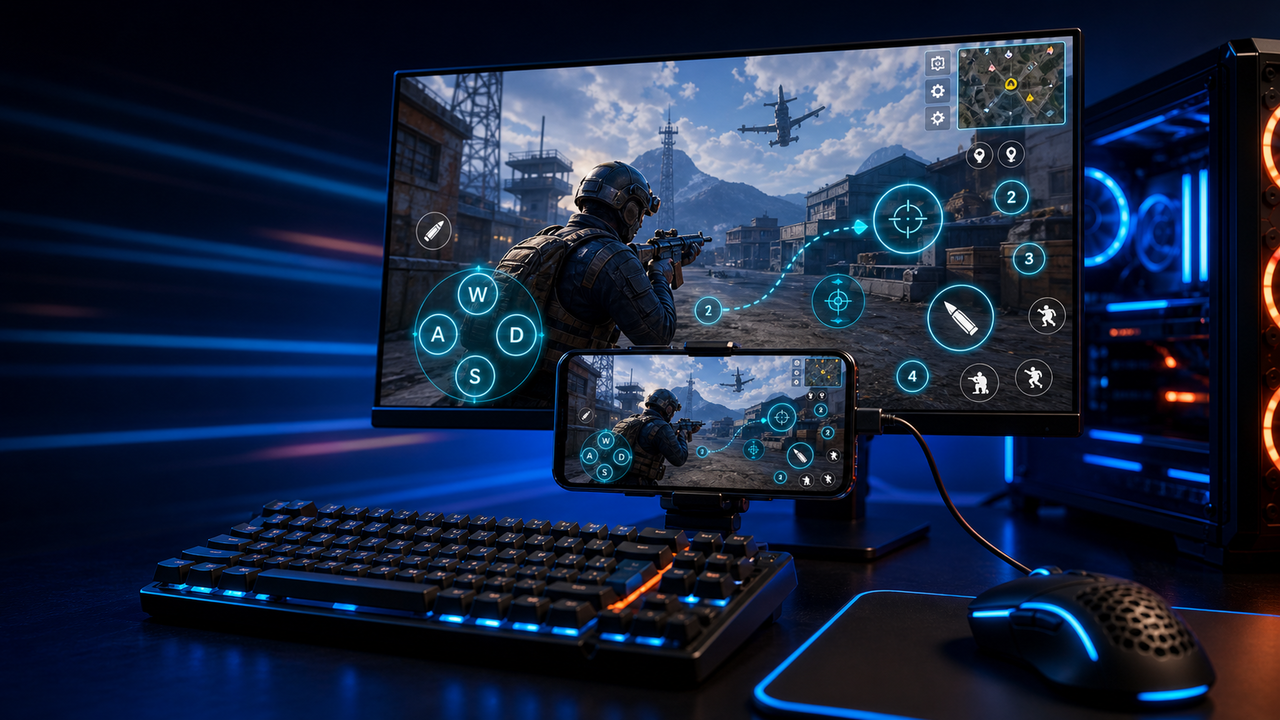
Keyboard and mouse key mapping
Turn touch controls into a PC-style layout for movement, aiming, firing, skills, camera, backpack, and common game actions.
Mobile games on PC, powered by Android devices and emulators
Mirror Android devices and emulators to Windows or macOS, then use keyboard, mouse, gamepad, and custom key mapping for supported mobile game workflows.
LaiCai
A larger screen, physical controls, and custom layouts can make long sessions more comfortable while PUBG Mobile, Free Fire, COD Mobile, Mobile Legends, Roblox, and other games run on Android devices or emulators.
Adımlar
Connect your phone, open the game, then tune the controls for your own play style.
Install LaiCai Screen Mirroring on your Windows PC or Mac.
Connect the Android phone by USB or a supported Wi-Fi workflow.
Open PUBG Mobile, Free Fire, COD Mobile, Mobile Legends, Roblox, or another supported game on the phone.
Mirror the phone screen to the computer workspace.
Drag key-mapping controls onto movement, camera, fire, backpack, skill, and action areas.
Test the layout, adjust sensitivity, then save the mapping for the next session.
İş akışı
Turn touch controls into a PC-style layout for movement, aiming, firing, skills, camera, backpack, and common game actions.
The game keeps running on your Android device or emulator while LaiCai Screen Mirroring gives you a larger PC or Mac display for daily play and tutorials.
Capture screenshots, record short clips, and keep reusable control layouts for PUBG Mobile, Free Fire, COD Mobile, Mobile Legends, and Roblox.
Karşılaştırma
Sanal Android ortamları ve birçok oyun için idealdir.
LaiCai iş akışının gerçek bir telefonda kalması gerektiğinde daha iyidir.Hafif bir ayna isteyen teknik kullanıcılar için idealdir.
LaiCai görsel bir ürün iş akışı, anahtar eşleme, kayıt ve cihaz grupları ekler.Cihazın yerel olması gerekmediğinde iyidir.
LaiCai, PC veya Mac'ten kontrol edilen yerel gerçek Android telefonlara odaklanır.SSS
LaiCai Screen Mirroring is useful for players who want computer controls for Android devices and supported emulators.
Evet. LaiCai Windows ve macOS’u destekler.
Desteklenen Android oyun akışlarında oyun gerçek telefonda çalışırken LaiCai key mapping kullanabilirsiniz.
Evet. LaiCai klavye, mouse ve controller mapping layoutlarını destekler.
Evet. LaiCai cihaz grupları ve çoklu telefon iş akışları içerir.
LaiCai Screen Mirroring is useful for players who want computer controls for Android devices and supported emulators.