Build an Android app localization testing workflow that combines pseudolocales, real-language checks, RTL review, OCR, screenshots, and human judgment without multiplying every test by every locale.
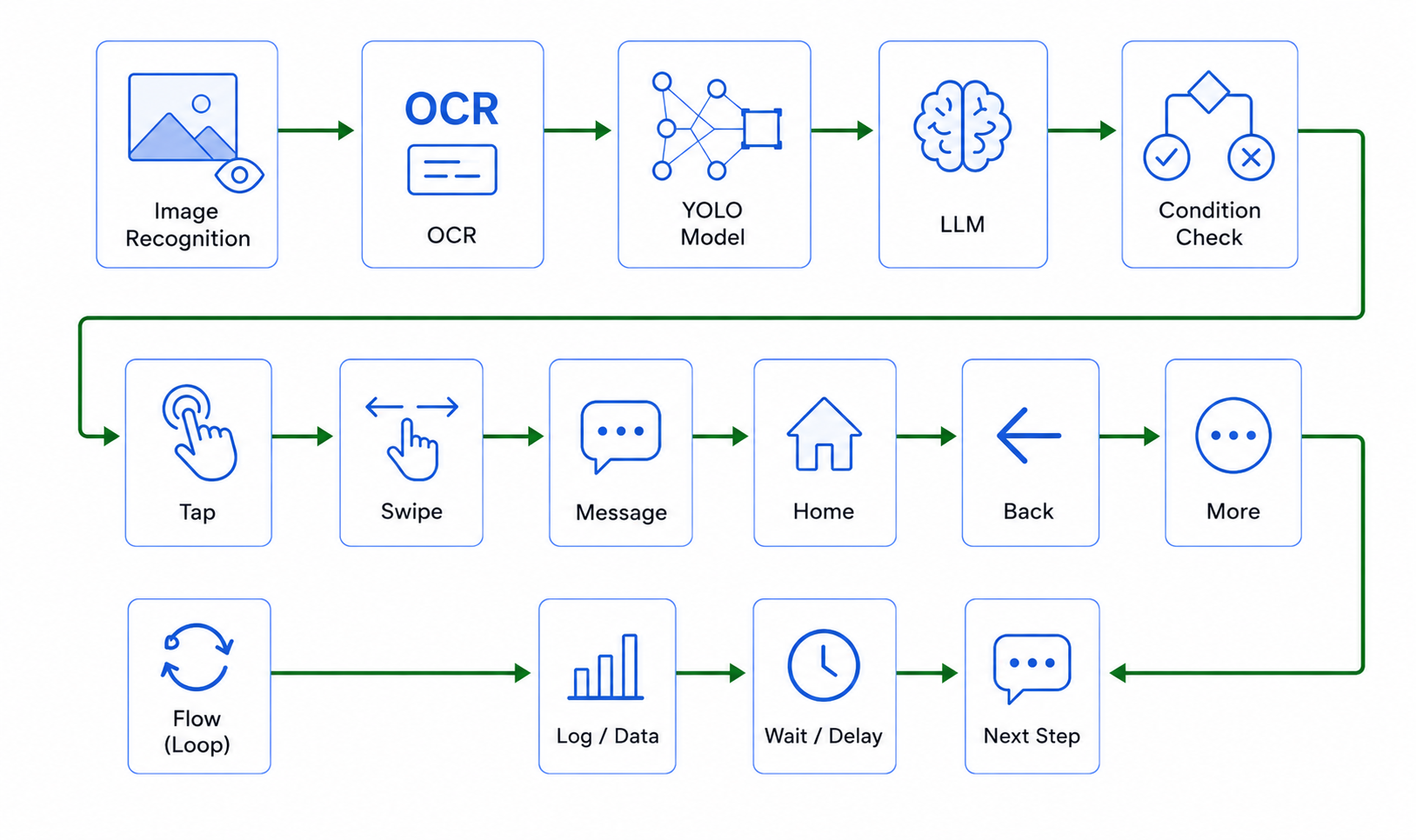
The short answer: automate the route, review the language
A reliable Android app localization testing workflow separates repeatable device work from language judgment. Automate language setup, app launch, navigation, waits, screenshots, known-state checks, and evidence collection. Keep translation quality, tone, cultural meaning, ambiguous clipping, and visual balance under human review. The goal is not to run every test in every language. It is to create a small, risk-based matrix that exposes the failures most likely to reach users.
This matters because localization defects are not only wrong words. They include hardcoded strings, missing resources, text expansion, broken right-to-left layouts, incorrect dates or currency, keyboard mismatch, unreadable fonts, clipped buttons, and language settings that do not persist. An AI Android automation tool can help repeat the visible route and collect evidence, but it cannot decide whether a sentence sounds natural to a local customer.
The workflow below combines Android's official localization features with observable device checks. It does not claim that LaiCai Flow replaces unit tests, Compose tests, Espresso, UI Automator, Appium, a translation management system, or native-language review. Use each layer for the evidence it produces best.
Start with a localization release matrix, not a language list
A list of supported languages is not a test plan. A release matrix connects a locale to the screen, device condition, data format, writing direction, and business risk that make that locale meaningful. Without that connection, teams often open the home screen in several languages, take a screenshot, and miss failures in checkout, search, account recovery, notifications, or settings.
| Matrix dimension | Representative choices | Why it changes the result |
|---|---|---|
| Language shape | English, German, Chinese, Thai | Expansion, density, line breaking, and font rendering differ |
| Writing direction | LTR, RTL, mixed-direction content | Navigation order, icons, numbers, and punctuation can move incorrectly |
| Device | Small phone, large phone, one vendor device | Width, font scale, keyboard, and system UI vary |
| Android path | System language, Android 13+ per-app language, in-app picker | A language may work through one entry path and fail through another |
| Theme and state | Light, dark, error, empty, loading | Long or translated text often appears only in secondary states |
| Regional data | Date, time, number, currency, address, phone | Correct words can still accompany the wrong regional format |
Choose a baseline locale, one expansion-heavy locale, one compact or complex-script locale, and one RTL locale for every release. Add market-specific locales only to the flows that carry material business risk. Firebase Test Lab's Android matrix similarly treats locale as one dimension alongside device model, Android version, and orientation; that is a useful planning model even when you run checks on your own devices.
Use Android pseudolocales before translations arrive
Pseudolocales are the cheapest early warning system in the workflow. Android's pseudolocale guidance describes `en-XA`, which expands and accents English text, and `ar-XB`, which exercises right-to-left behavior. They can expose hardcoded strings, broken string concatenation, layout pressure, bidirectional text problems, and elements that fail to mirror before a translator delivers final copy.
- Run the primary user journey in `en-XA` and record every string that remains plain English; it may be hardcoded or outside the localization resource path.
- Repeat the same journey in `ar-XB` and inspect navigation order, back arrows, tabs, progress indicators, mixed numbers, and punctuation.
- Capture error, empty, permission, upgrade, and confirmation states; they are less visible during ordinary happy-path review.
- Treat a pseudolocale failure as a localizability defect, not as proof that a particular real translation is wrong.
Developers can also inspect selected screens earlier. Android's localization documentation and Compose preview tooling support locale-specific previews, including RTL examples. These code-adjacent checks are fast and should catch component-level issues before a full device workflow.
Test the language path users actually take
A translated screen is not enough if users cannot select, retain, or reset the language. Android's per-app language guidance explains that Android 13 and later provide a centralized system setting for an app's preferred language, while AndroidX supports compatible application-locale handling on older versions. Apps may also have their own language picker. Each supported entry path needs a small state-transition test.
- Start from a named clean state: fresh install, upgraded install, signed-in account, or restored backup.
- Choose the locale through the intended system or in-app path and confirm whether the app restarts, recreates the activity, or updates in place.
- Navigate away from settings and confirm the target locale appears on a business-critical screen.
- Close and reopen the app, then verify that the preference persists.
- Reset to the system default and confirm that stale translated resources do not remain.
- On older Android versions, test the actual compatibility path instead of assuming Android 13 behavior.
Device language and keyboard language are separate concerns. BrowserStack's localization testing documentation notes that changing language on an Android device does not necessarily change the keyboard language. Preserve that distinction in the matrix so a text-input failure is not misdiagnosed as a resource failure.
Select representative screens by risk
Do not multiply every existing end-to-end test by every locale. Select screens where localization changes behavior, layout, trust, or money. A compact set usually includes onboarding, sign-in, home navigation, search, one detail page, one form, one payment or confirmation surface, settings, notifications, and the most important error state.
Prioritize controls with fixed width, adjacent icons, multiple variables, plural rules, dynamic server text, compact cards, bottom navigation, and translated text over images. Include one screen with maximum realistic content rather than only empty demo data. If your app supports tablets, foldables, or landscape, add them only where the layout genuinely changes.
Give every selected screen an owner and a reason. For example, the checkout confirmation exists to verify currency, line wrapping, button labels, and legal copy; the account-recovery screen exists to verify input method, error messages, and bidirectional email addresses. This makes failures actionable instead of producing a folder of unexplained screenshots.
Match the evidence method to the localization defect
No single locator or image technique proves localization quality. Choose the smallest observation that can support the decision. The existing Android visual testing guide explains the broader differences among UI state, OCR, image matching, object detection, and screenshots; localization QA applies those methods to language-specific risks.
| Defect or question | Best first evidence | Important limitation |
|---|---|---|
| Did the expected screen open? | UI tree or stable selector | A matching element does not prove the whole layout is correct |
| Is a required label visible? | OCR in a bounded region | OCR output does not prove grammar, tone, or complete absence of clipping |
| Did a known icon or dialog appear? | Template matching | A template can break across themes, density, or redesigned UI |
| Does the complete screen look acceptable? | Screenshot plus human review | Visual review is slower and needs a clear checklist |
| Did a value use the right locale format? | Structured assertion where possible; OCR as evidence | Rendered text alone may not reveal the underlying locale source |
| Is a translation culturally appropriate? | Native-language reviewer | Automation cannot make this judgment reliably |
In the current LaiCai Flow contract, OCR returns a collection of results rather than one magical answer. A flow must select the relevant segment before comparing text or position. Likewise, a visual match reports a known state; it should not be stretched into a claim that every pixel or sentence is correct.
Build an observable localization flow on real Android devices
An observable visual workflow is useful when the team needs to repeat the same navigation across real Android devices and hand a reviewer consistent evidence. LaiCai Flow is an automation feature inside LaiCai Screen Mirroring. It can organize visible steps such as waits, UI-state checks, OCR, template matching, screenshots, conditions, bounded loops, and explicit stops. The LaiCai Flow guide covers the product workflow.
- Name the build, device, Android version, locale, theme, font scale, and starting account state.
- Open the app or settings path and use explicit waits before screen-dependent observations.
- Navigate one user-level phase at a time, keeping technical lookup details inside readable child flows when the journey becomes complex.
- Check a stable screen condition before each destructive or state-changing action.
- Capture the required screenshot and any selected OCR result with the locale and screen identifier.
- Verify a postcondition after navigation instead of assuming a tap succeeded.
- Stop with evidence when the screen is unknown; do not continue clicking through an unexpected language or dialog.
This layer complements code-based tests. Component and instrumentation tests should still own resource lookup, state logic, accessibility semantics, and deterministic assertions close to the app. A visible flow is strongest when support, localization, or release reviewers need a repeatable route and a human-readable evidence packet. The Android QA smoke-test workflow provides a related general pattern.
Give RTL and bidirectional content their own test pass
RTL is not an item to add at the end of an LTR screenshot checklist. Run a dedicated pass with Arabic or another supported RTL locale and include mixed-direction content such as email addresses, phone numbers, prices, version strings, URLs, codes, and Latin brand names. These combinations reveal punctuation and ordering failures that a fully translated paragraph may not show.
- Confirm that navigation, drawers, tabs, progress direction, and directional icons mirror only when their meaning should mirror.
- Check that numbers, units, product names, and input cursors remain readable inside RTL sentences.
- Inspect alignment in empty states, dialogs, snackbars, permission explanations, and form validation messages.
- Test swipes and back navigation by behavior, not by assuming that every gesture reverses with text direction.
- Use a native-language reviewer for punctuation, phrasing, line breaks, and cultural interpretation.
Use `ar-XB` early to expose structural failures, then run at least one real RTL locale before release. A pseudolocale can reveal mirroring defects, but it does not validate the typography or meaning of production Arabic copy.
Test formats, input, notifications, and external surfaces
Some of the most expensive localization failures sit outside the main in-app screen. Add focused checks for date and time, decimal separators, currency placement, address order, measurement units, phone numbers, plural forms, keyboard input, clipboard behavior, notification text, deep links, web content, and any system dialog that the journey depends on.
Record which locale drives each value. The app language, system locale, account country, server preference, time zone, and keyboard can disagree. A screenshot showing a surprising value is useful evidence, but the bug report must also name those inputs so engineering can reproduce the source of the mismatch.
Treat store listings and promotional screenshots as a separate release surface. Their text may come from a different repository and their images may be generated by a different pipeline. Reuse the same screen inventory and naming scheme, but do not mark the app localized merely because the store description is translated.
Keep human review where automation is weak
Automation is good at repeating a route and detecting known evidence. Humans remain better at meaning, tone, context, cultural fit, visual hierarchy, humor, ambiguity, and deciding whether a line break merely looks different or actually harms comprehension. Build the handoff deliberately instead of treating manual review as an unplanned exception.
- Automate: locale setup, launch, navigation, waits, stable state checks, selected text presence, screenshots, file naming, and evidence packaging.
- Review manually: translation meaning, naturalness, legal nuance, accessibility of complex scripts, ambiguous truncation, cultural imagery, and visual balance.
- Escalate to code tests: exact resource mapping, plural logic, deterministic formatting functions, and component semantics.
- Escalate to device or framework tests: system permissions, cross-app behavior, keyboard integration, and lifecycle transitions.
A useful stopping rule is simple: when the visible state is not one of the approved states, collect evidence and stop. Do not let an automation continue through an unknown consent screen, payment step, destructive action, or untranslated system path. The Android automation testing tools comparison can help assign each assertion to the right layer.
Create an evidence packet a release team can act on
A pass/fail dashboard without context creates another investigation. Every localization finding should identify the build, app package and version, locale and region, Android version, device and resolution, font scale, theme, starting state, screen name, expected result, actual result, and the screenshot or selected observation that supports the claim.
Use stable file names such as `build-locale-device-screen-state.png`, then keep one manifest that maps files to the test matrix. Separate expected visual variation from defects: a different line break may be acceptable, while a hidden price, unreachable button, reversed brand mark, or missing error message is not. Assign severity by user impact, not by pixel difference.
Because no LaiCai-managed device was available in the current generation context, this article describes a contract-based workflow rather than claiming benchmark results for a particular app, device, or locale. Run a representative pilot in your environment before expanding the matrix.
Android localization QA release checklist
- Define the supported locale list, fallback locale, language-selection paths, and high-risk markets.
- Run `en-XA` and `ar-XB` on representative screens before final translations arrive.
- Verify real per-app, system, and in-app language switching where each path is supported.
- Cover one expansion-heavy locale, one complex-script locale, and one RTL locale on a small screen.
- Include error, empty, loading, confirmation, permission, upgrade, and notification states.
- Check regional formats, input methods, font scale, light/dark theme, and language persistence.
- Use UI state, OCR, template matching, screenshots, and human review only for claims they can support.
- Save a named evidence packet and stop on unrecognized states.
- Have a native-language reviewer approve meaning, tone, punctuation, and cultural fit.
- Keep the primary automation CTA on the locale-aware owner page and use supporting guides for implementation detail.
About the author: BeePOS LLC develops LaiCai Screen Mirroring and its LaiCai Flow automation feature. This guide is based on current Android documentation, observed localization testing practices, and the published LaiCai Flow node contract. Product questions can be sent through the LaiCai company and support page.
Sources
- Android Developers: Test your app with pseudolocales
- Android Developers: Per-app language preferences
- Android Developers: Localize your app
- Android Developers: Preview your UI with composable previews
- Firebase: Get started testing for Android with Test Lab
- BrowserStack: Localization testing using App Live