Gamepad Grid Select Mapping
Use Grid Select in LaiCai Screen Mirroring to move between the cells of an in-game list, such as a loot box or nearby items, with the D-pad and tap the selected cell with one button.
Add a Grid Select mapping
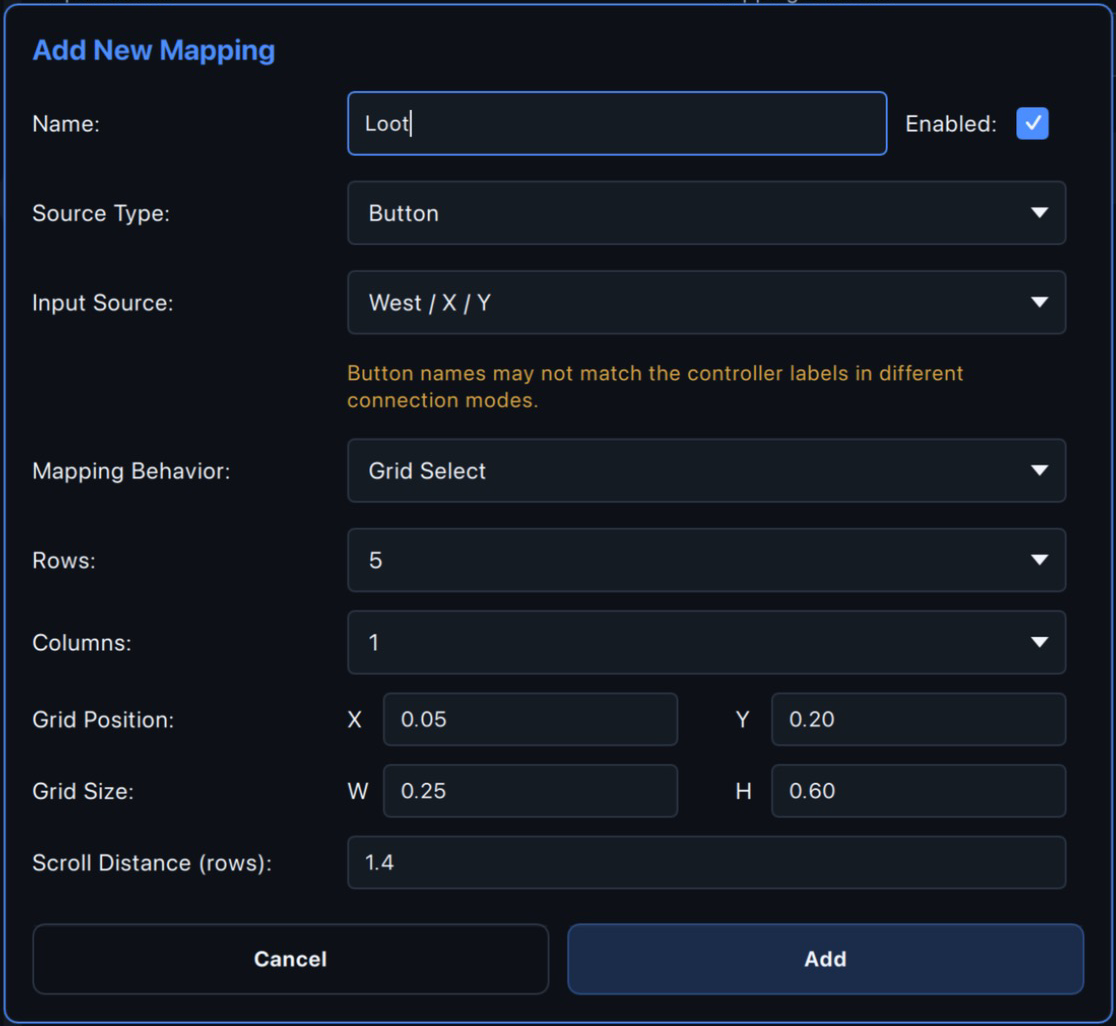
Open Input Mapping and add a Gamepad mapping. Choose Grid Select as the Mapping Behavior and pick one button as the confirm button, for example X (West). The D-pad is reserved for moving the selection: it cannot be the confirm button, and no other mapping on the same layer can use it.
Set up the grid
Line the grid up with the list
Open the Mapping Layer, drag the grid frame to move it and drag its bottom-right corner to resize it, so that each cell lines up with one item of the list. You can also type the position and size in the dialog.
Move and tap in the game
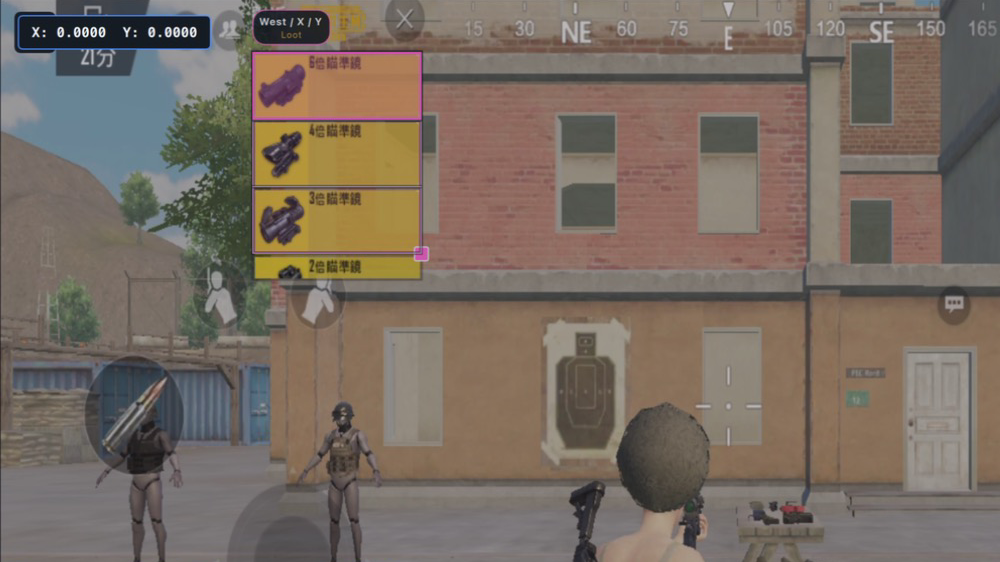
Press the D-pad to move between cells; the selection stops at the edges and does not wrap around. Press the confirm button to tap the center of the selected cell. The mirrored screen shows the grid lines and the selected cell highlighted in pink. Switching layers or profiles returns the selection to the first cell.
Scroll the list at the edge
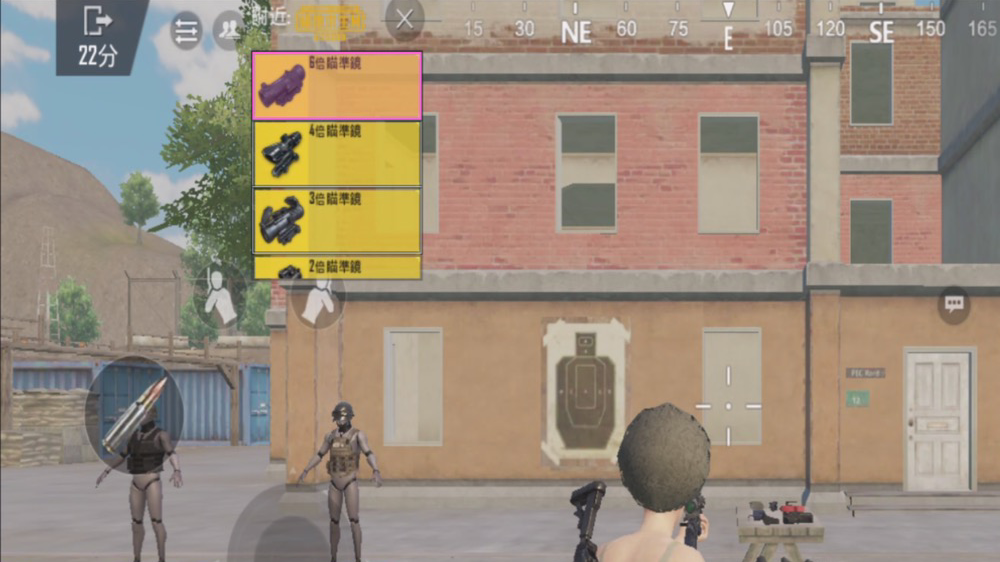
When the selection is on the first row and you press up, or on the last row and you press down, the highlight stays where it is and the list is swiped instead. Adjust Scroll Distance and Scroll Duration until the list moves by whole rows. Row height differs from game to game, so fine-tune it for yours. When the list reaches its end, the game can only scroll the remaining distance, so the last scroll may not line up; press the opposite direction once or tap the item directly. Scrolling the list yourself with a finger or a stick also throws the grid out of line.
Recommended setup
Put Grid Select on the second layer, for example named loot, and set the Back or − button on the first layer to Switch Layer to get there. You can also put it on the first layer, but then the grid stays on the screen all the time. If the Switch Layer button on the first layer is a D-pad direction, the other layers cannot use Grid Select.
Mapping Behavior Reference
Learn the behavior of each mapping type in detail.